Quick answer: To create static ads with AI, start with a clear brief and a reference ad, put both into a tool like ChatGPT, then fix the result in short rounds. Check the logo, the product and every word by hand before the ad goes live.
Key takeaways
- A reference ad matters more than a long prompt. It tells the AI what layout you want.
- Expect a few rounds. The first image is rarely the one you ship.
- Write every line of text yourself and tell the AI to add nothing else.
- Check the brand logo and product by hand, because AI sometimes gets products wrong.
- In my work, AI saves about 1 to 2 hours per design.
I am Nouman, a static ad designer and creative strategist. This post shows how to create static ads with AI the way I do it: a brief, a reference, ChatGPT, a few rounds and a manual check. You will also see other ways to do it, so you can pick the one that fits you.
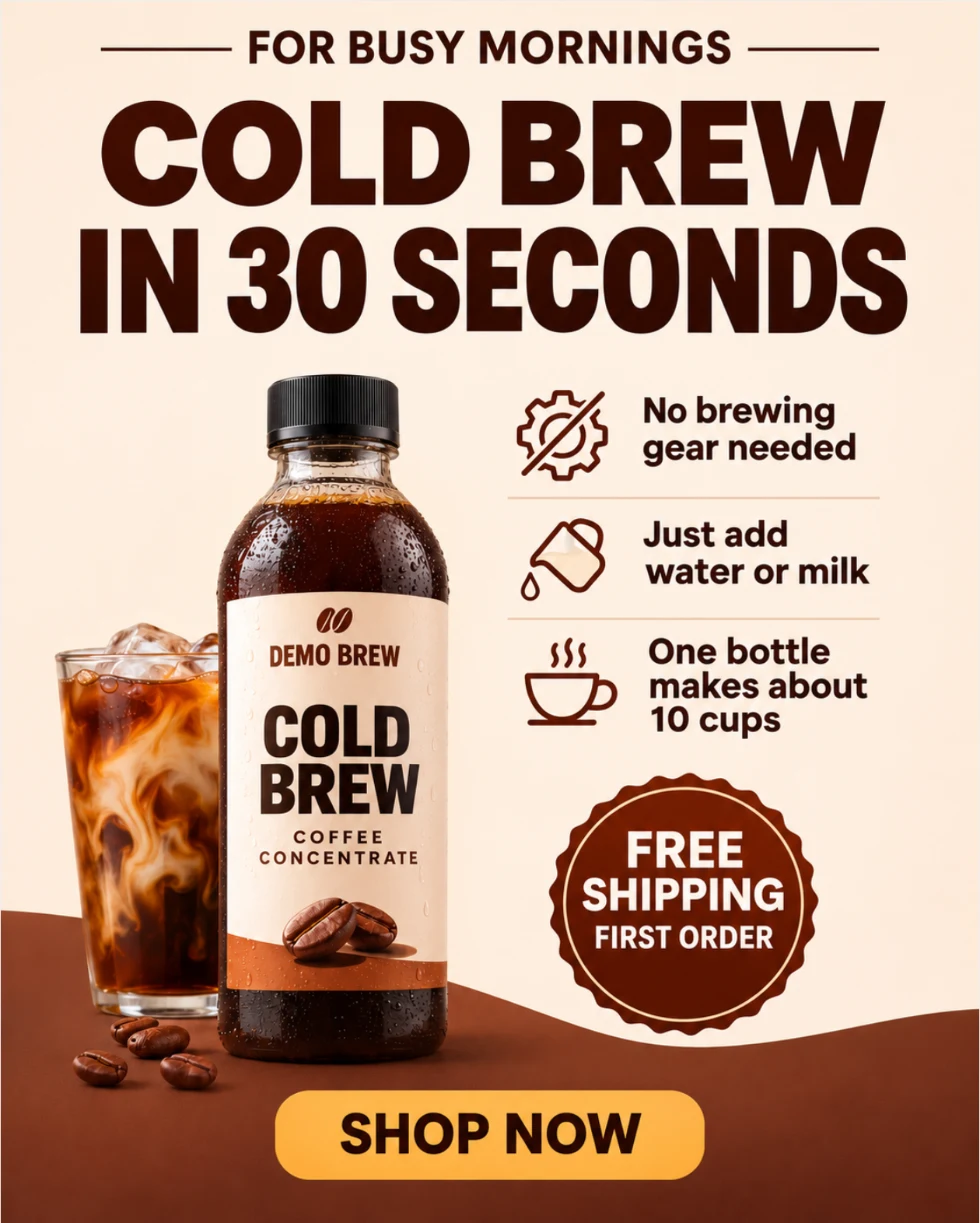
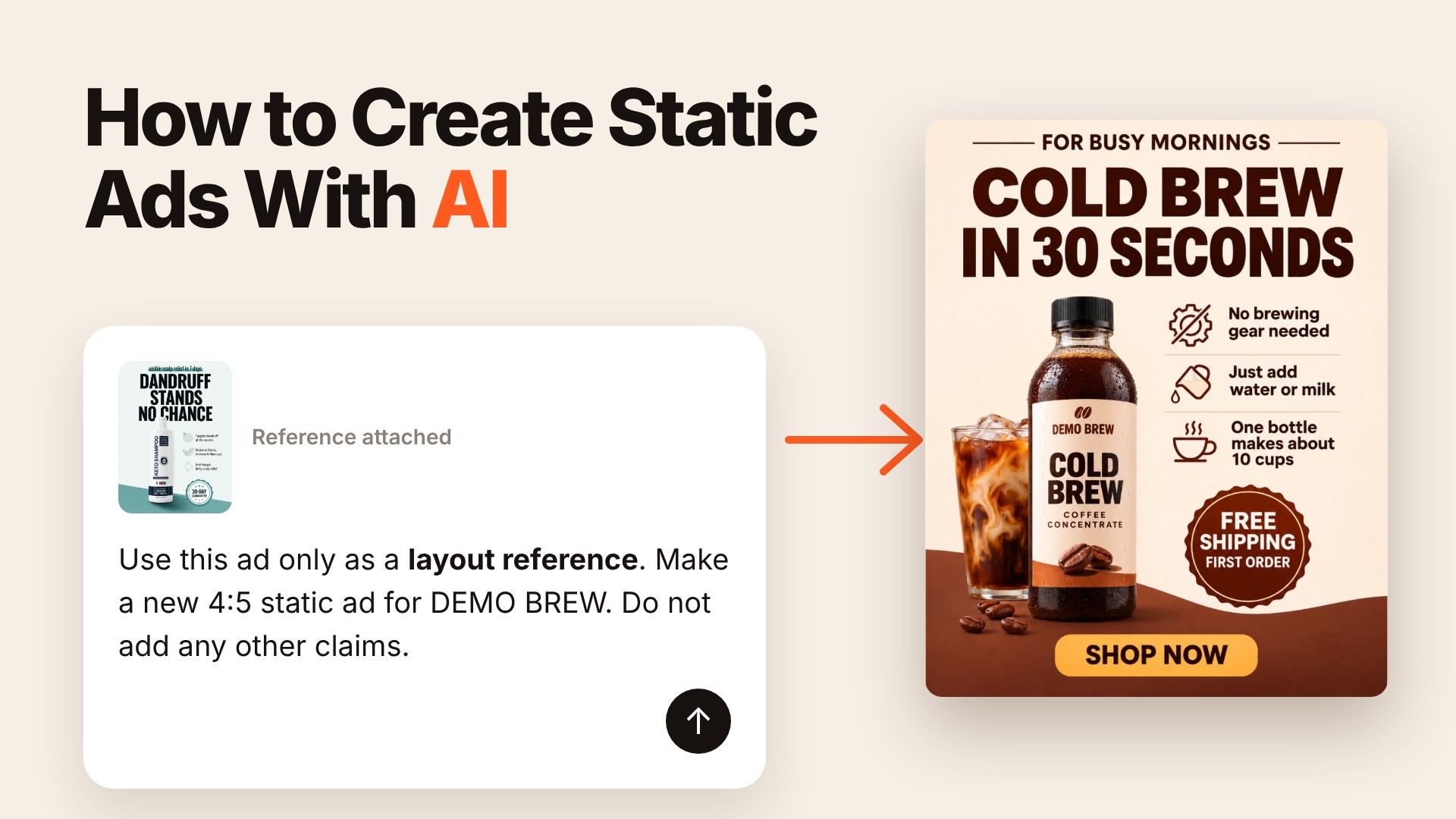
A demo ad for a made-up brand, DEMO BREW, made in ChatGPT.
What do you need before you open an AI tool?
You need to know what the ad has to do. AI can draw, but it cannot pick your goal for you. Answer these five questions first.
| Question | Example for the demo |
|---|---|
| What is the goal? | Get a first order |
| Who is it for? | Busy people who make coffee at home |
| What is the one main message? | Cold brew without the wait |
| What proof or benefits can you honestly use? | No gear needed, add water or milk |
| What is the offer and button? | Free shipping on the first order, Shop Now |
DEMO BREW is not a real company, so treat these claims as placeholders. For a real brand, only use claims the brand can prove.
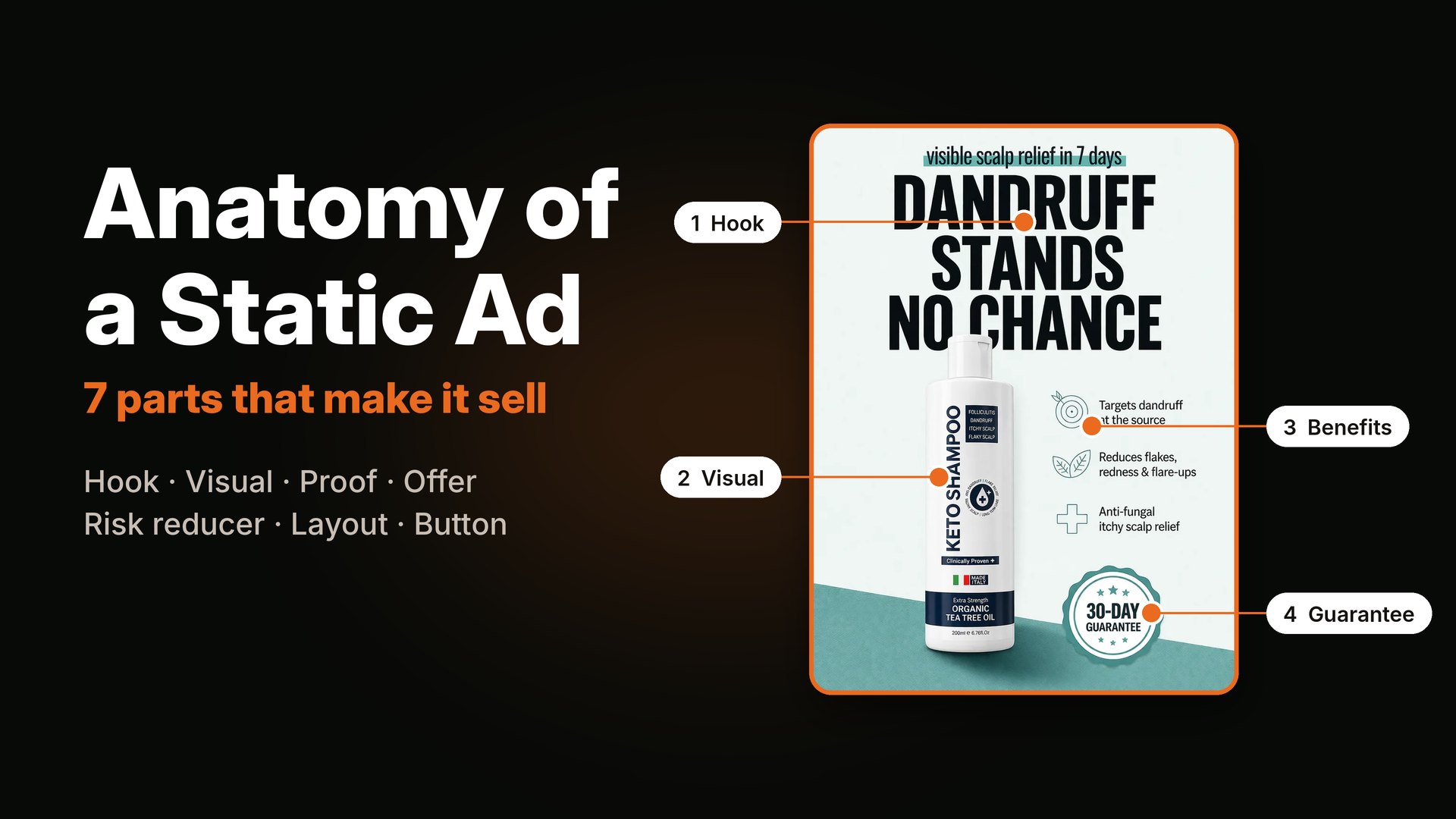
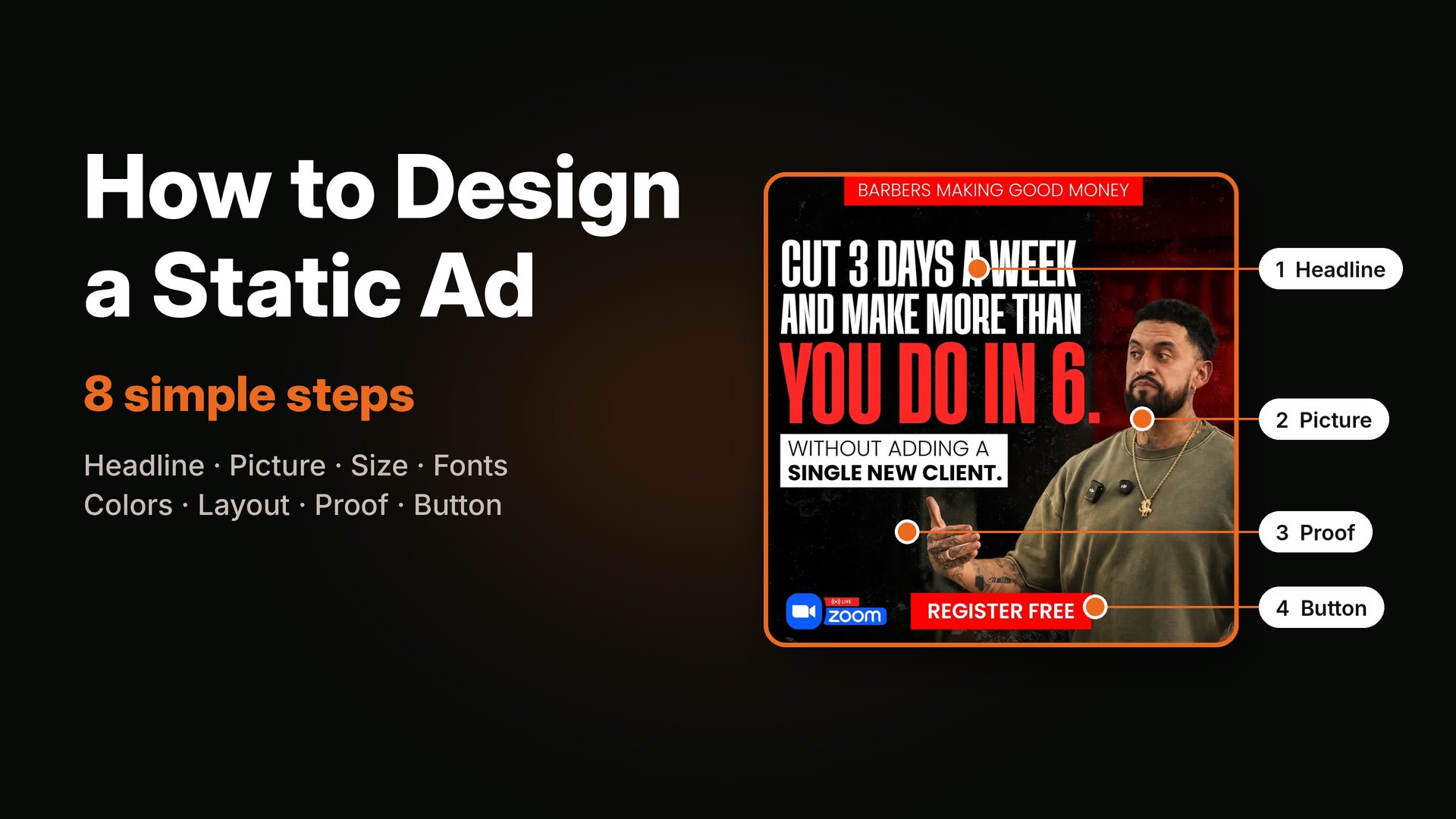
If this part feels hard, start with my free creative brief. My guide on how to design a static ad and the anatomy of a static ad explain what each part of the ad should do.
What are other ways to create static ads with AI?
There is no single right method. My way is simple, but these five setups are worth knowing. Pick one that fits how much you make.
| Method | Best for |
|---|---|
| Strategy first | Learning why an ad works |
| One home for brand context | Brands with lots of research |
| AI writes the prompt | Rebuilding a layout |
| Product reference sheet | Keeping the product the same |
| Swipe file and review board | High volume |
Method 1: strategy first, then design
Think before you prompt. Work in three layers:
- Strategy: the goal, the buyer, the ad format and how aware the buyer already is.
- Design: what the eye sees first, and a one second test of whether a stranger gets what you sell.
- Copy: specific numbers, the audience by name, curiosity and phrases from real customer reviews.
Then make a few variations and leave edit notes on the parts that are off.
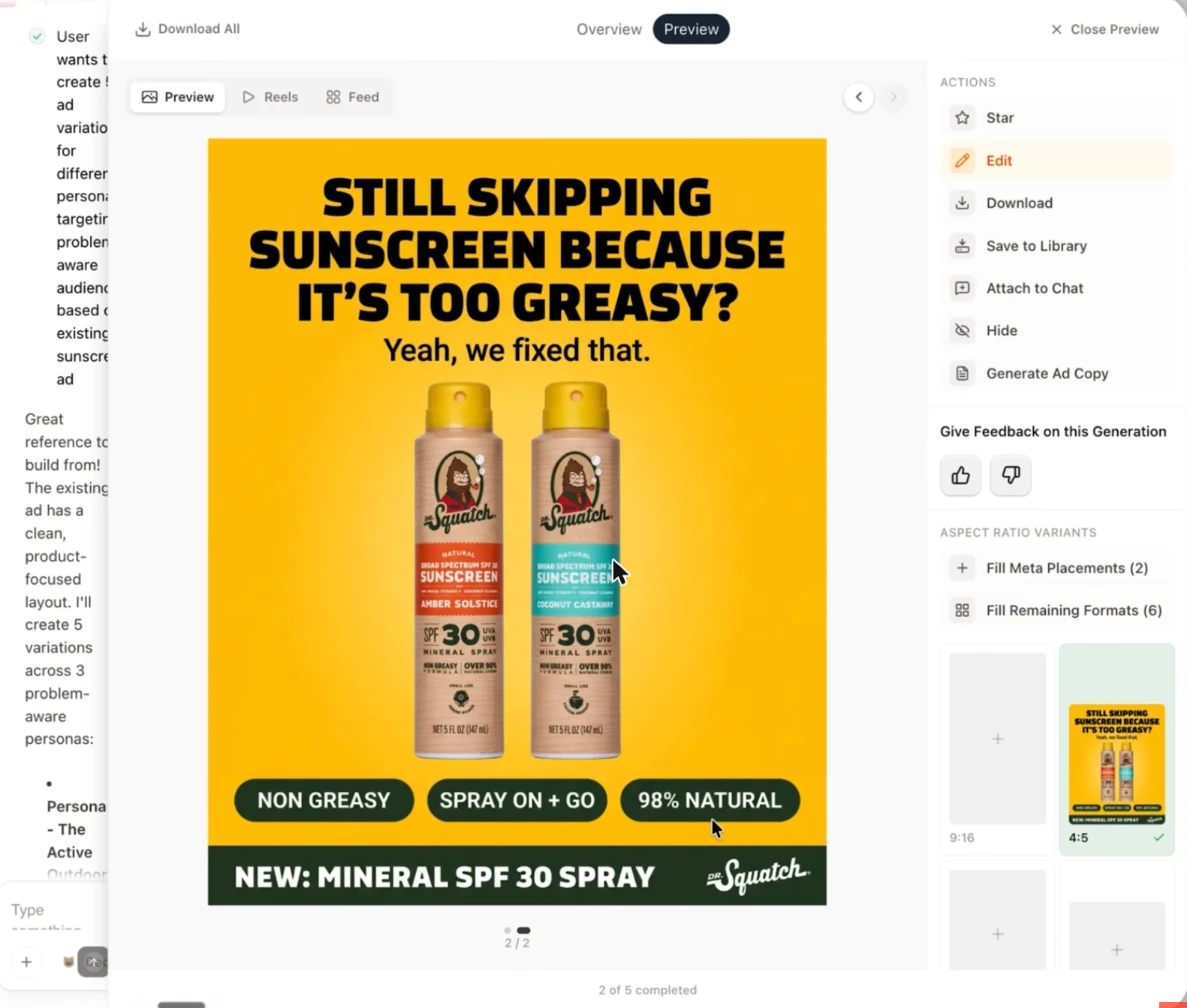
An example from another creator's setup. Not my work.
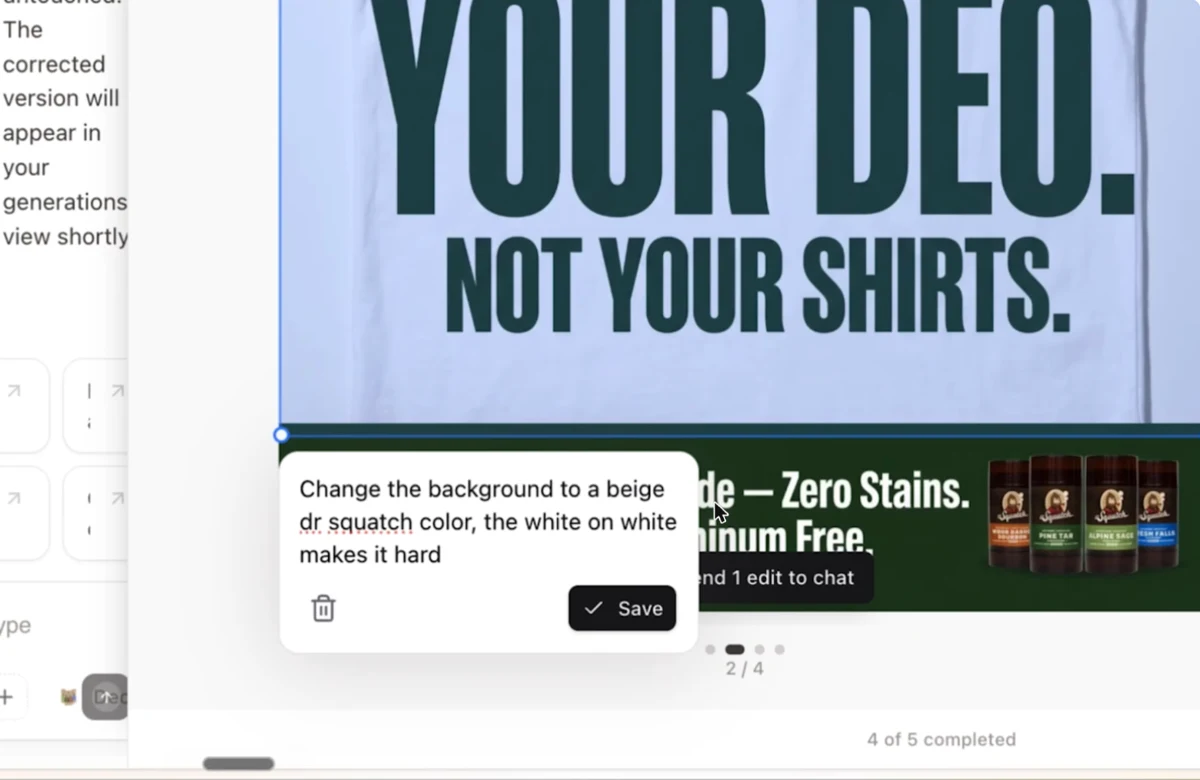
An example from another creator's setup. Not my work.
What to steal: make each edit note specific, such as "change the background color because the text is hard to read".
Method 2: keep all brand context in one place
Put everything the AI should know on one board or in one project:
- Brand information, market research and customer research.
- Reviews and product images.
- A swipe file of ads, grouped by format.
- A chat that can read all of it and write ideas and prompts.
Watch for three mistakes: trying to say everything, using small text and writing in brand language that buyers do not use.
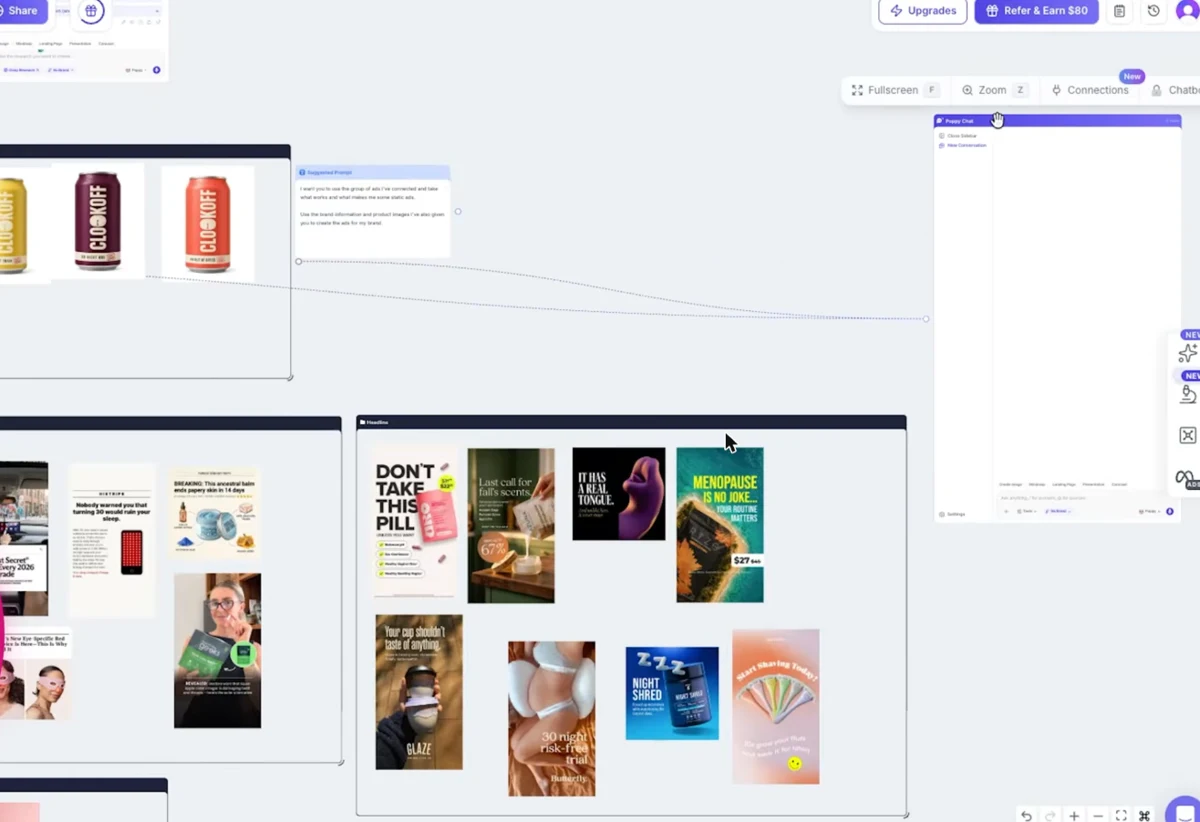
An example from another creator's setup. Not my work.
What to steal: you do not have to explain the brand again in every chat.
Method 3: let one AI write the prompt for another
- Pick a reference ad.
- Ask a research tool to study the brand and its buyers.
- Upload your product image and the reference, then ask for a detailed image prompt.
- Paste that prompt into an image tool and make a few options.
- Fix small text problems by hand.
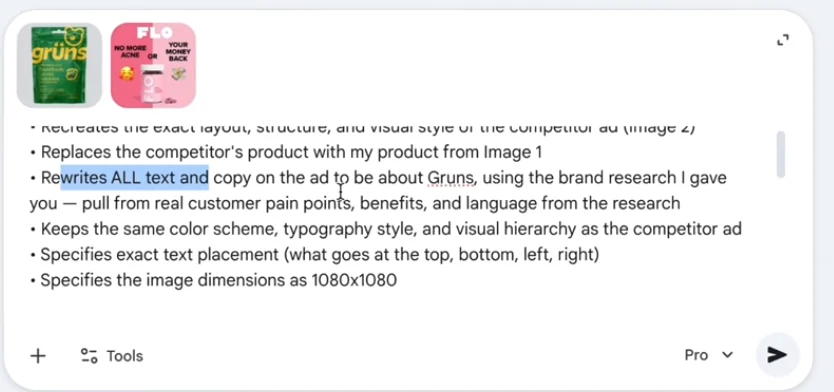
An example from another creator's setup. Not my work.
What to steal: borrow the layout, but write your own copy and use your own product. Do not copy another brand's words, logo or claims.
Method 4: make a product reference sheet
A common problem is that the product looks a bit different in every ad. To fix it:
- Make one sheet that shows the product from three views.
- Attach that sheet to every new ad.
- List every text line word for word, and say how many there are.
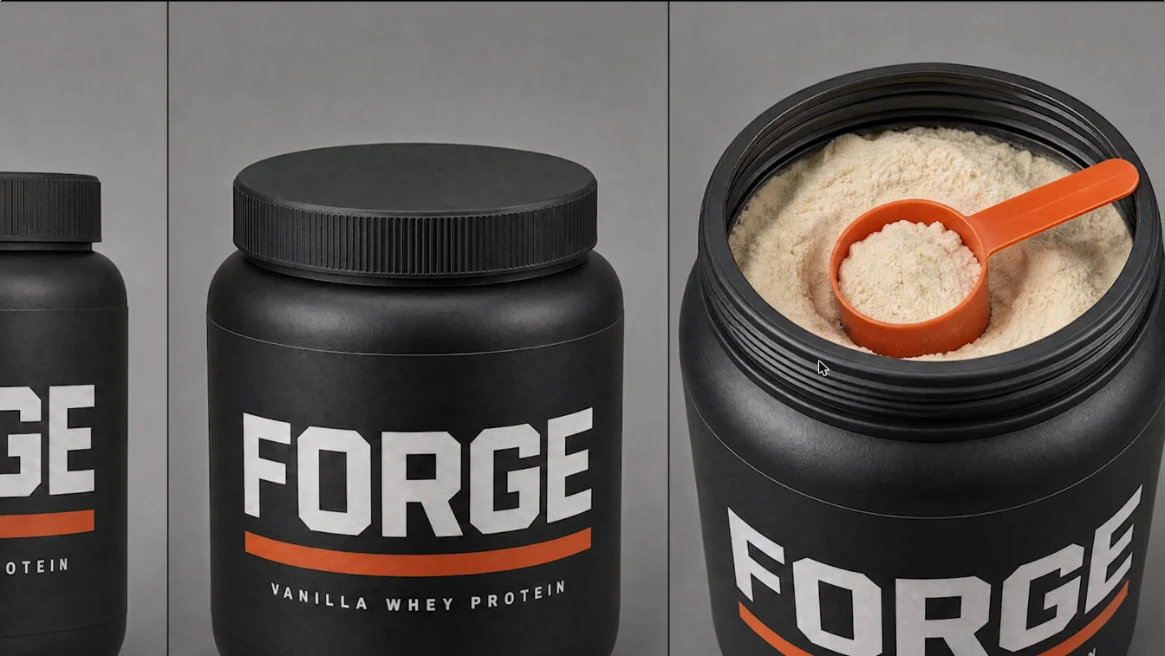
An example from another creator's setup. Not my work.
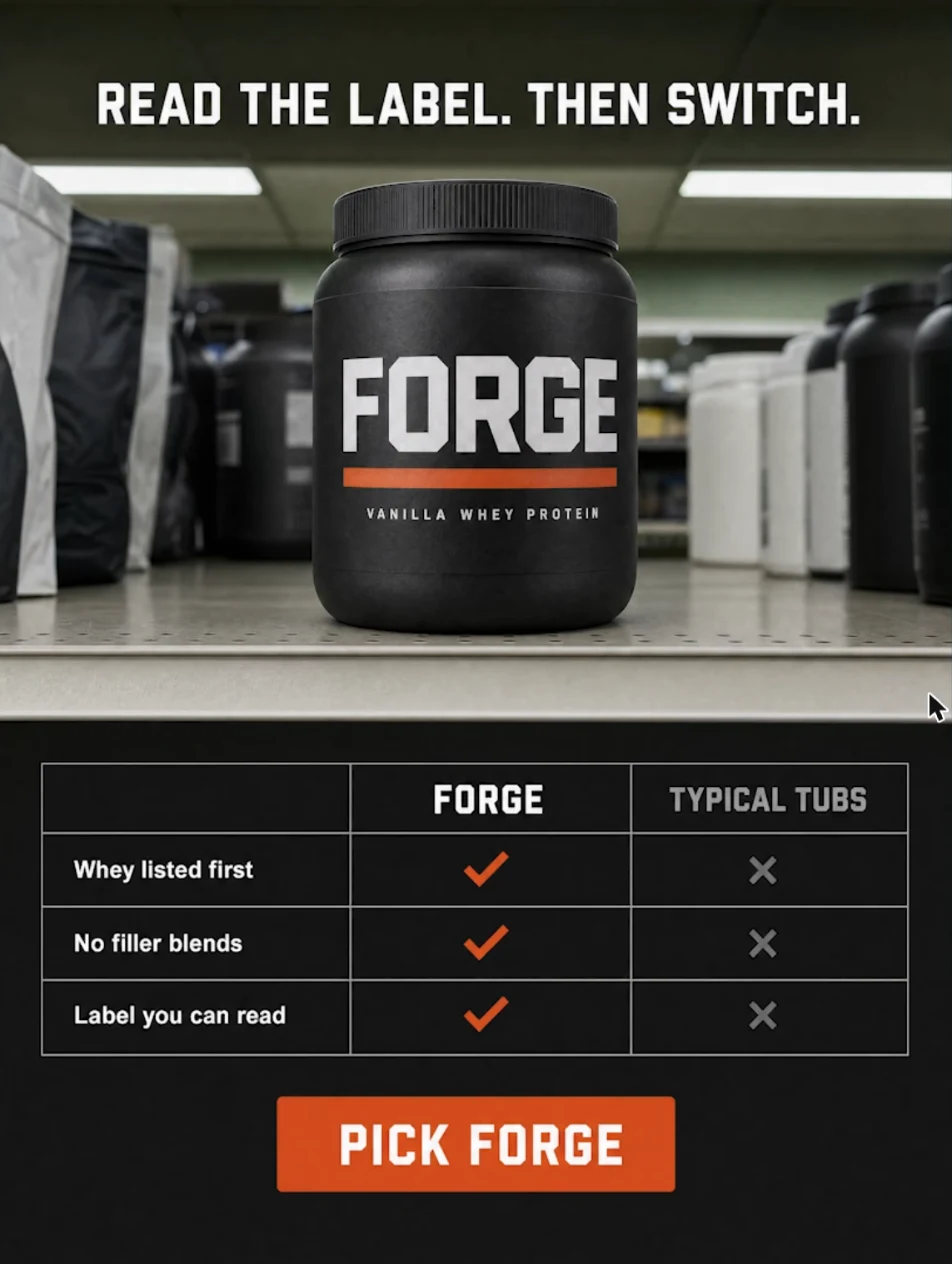
An example from another creator's setup. Not my work.
What to steal: counting your text lines in the prompt.
Method 5: build a system for volume
- Build a swipe file of flexible templates.
- Draft the copy and approve it yourself.
- Generate the ads.
- Review them on one board and ask for more like the good ones.
- Save the steps so you can repeat them.
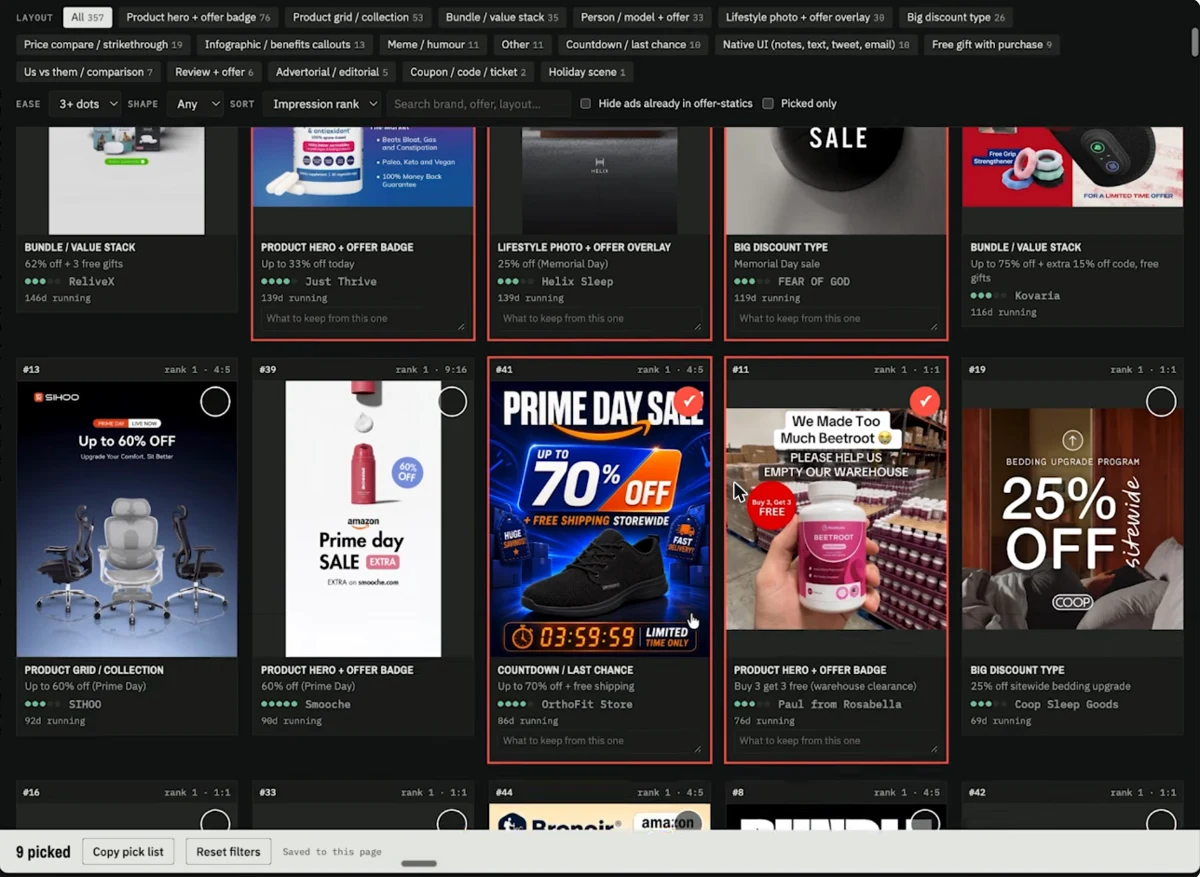
An example from another creator's setup. Not my work.
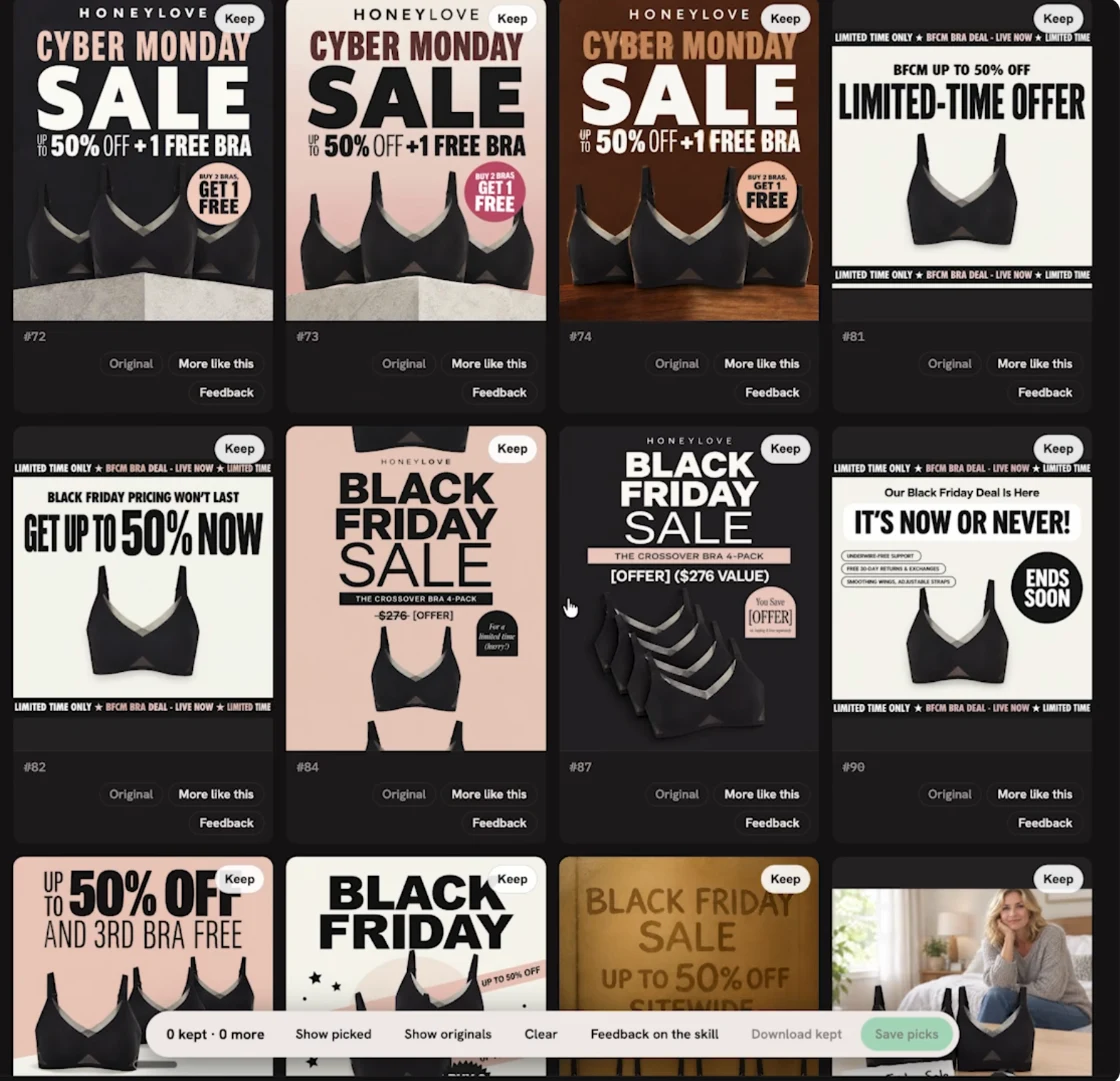
An example from another creator's setup. Not my work.
What to steal: approve the copy before you make images. It is much easier to fix a line than fifty pictures.
Want ideas for your reference folder? Browse my static ad examples or grab the free hook bank before you write your next prompt.
Which ad formats can you try with AI?
Try one format at a time and use it as your reference. Here are six to start with.
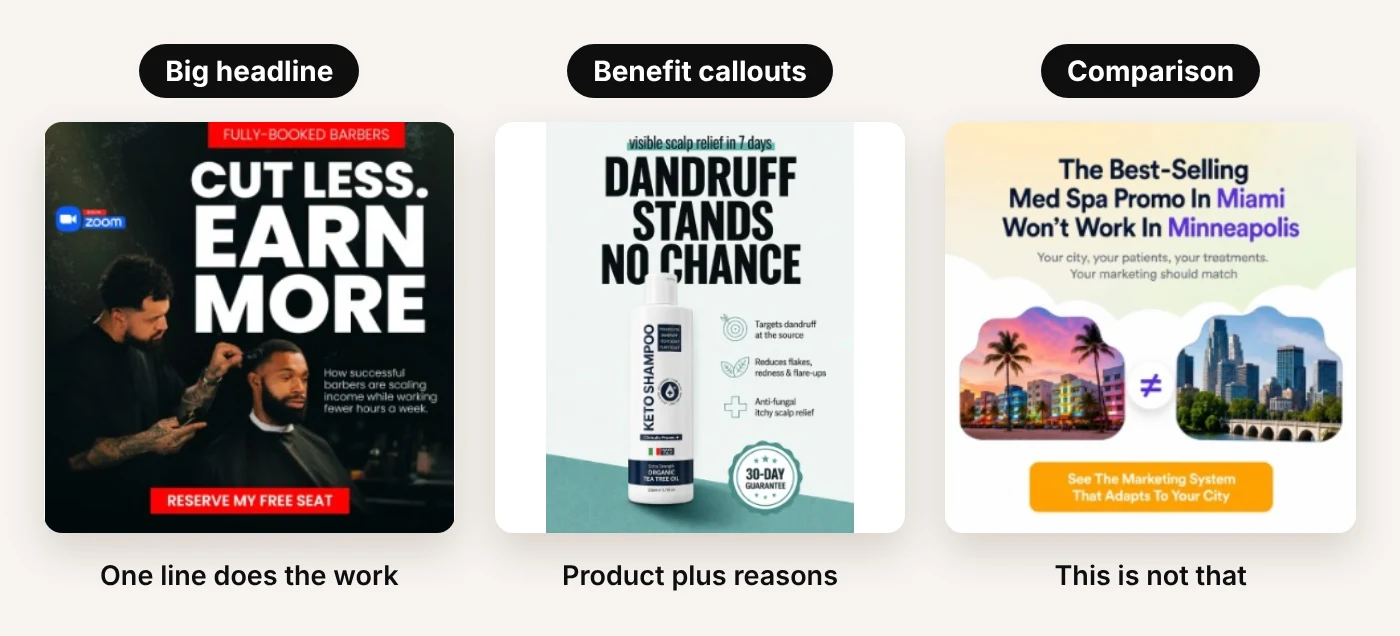
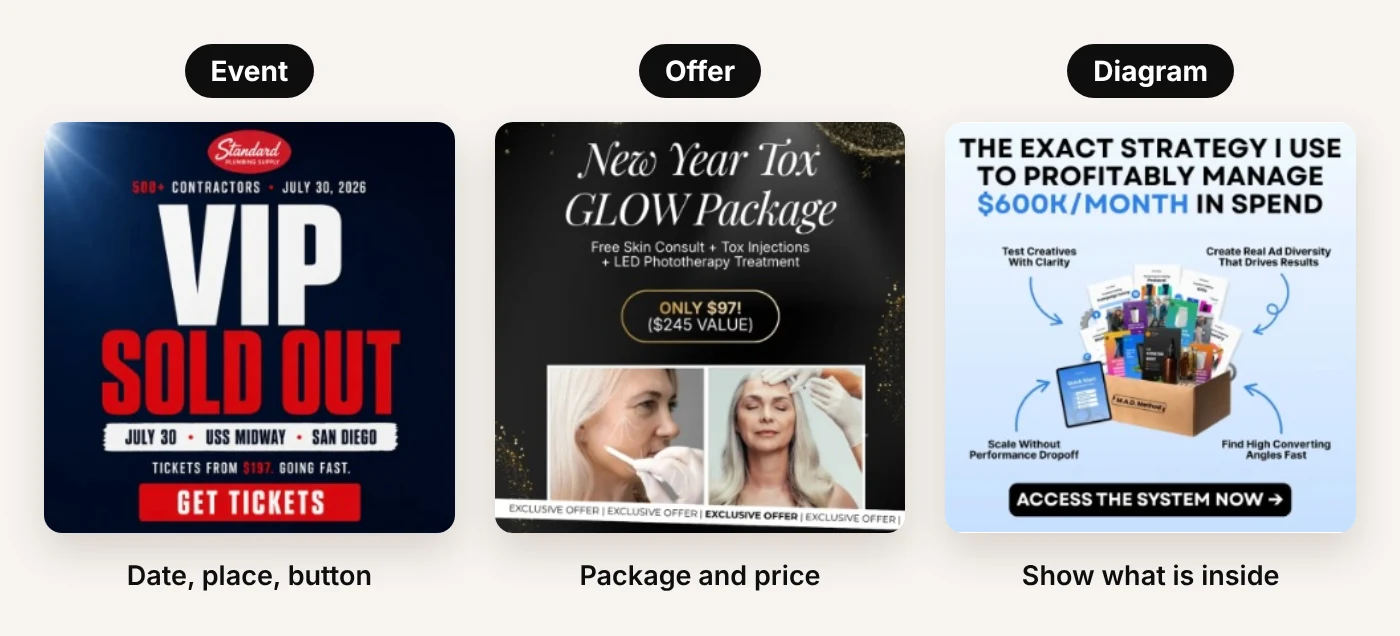
Where can you learn to create static ads with AI?
Practice is the training. Here are different ways to do it.
| Way to learn | What to do | What you build |
|---|---|---|
| Follow and repeat | Pick one method above and try it once | Tool basics |
| Study real ads | Search brands in the Meta Ad Library | An eye for layouts |
| Keep a swipe file | Save ads by format in folders | Ready references |
| Rebuild drills | Recreate a layout with a made-up brand | Prompting and design |
| One change drills | Keep the ad and change only the headline | Testing habits |
| Prompt notes | Save each prompt and what went wrong | Your own playbook |
My posts on the ad creative library, static ad examples and winning ads are good places to start studying.
Here is a simple first week if you are new:
- Day 1: Save 20 ads and label each format.
- Day 2: Write one brief using the five questions above.
- Day 3: Generate one ad with no reference.
- Day 4: Generate it again with a reference and compare.
- Day 5: Fix it in rounds until nothing bothers you.
- Day 6: Check spelling, logo and product, then edit by hand.
- Day 7: Make two more versions with different headlines.
What does my AI design workflow look like?
My workflow is simple: brief, reference, ChatGPT, fix rounds and a manual check. I do not run a big system. I mostly use ChatGPT, and for now it does the job. I read the brief and pick the reference, AI drafts, then I ask for fixes, check the result and edit if needed.
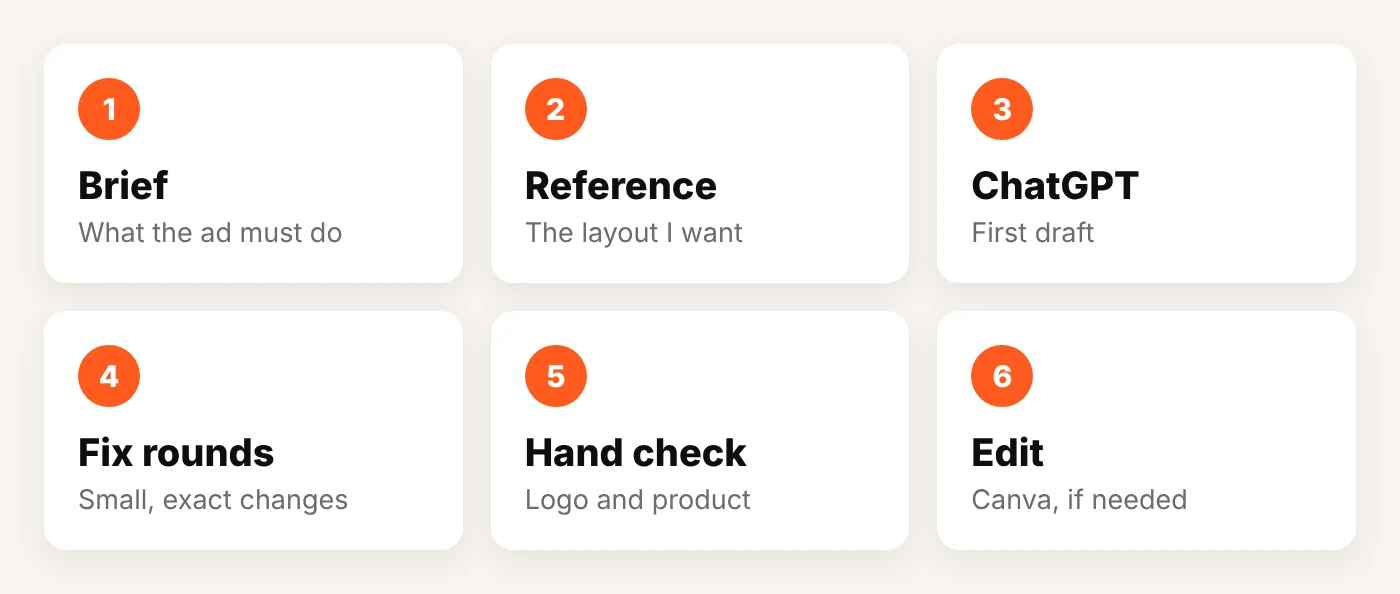
The demo below was run in ChatGPT for DEMO BREW, a made-up cold brew brand.
Why does a reference ad matter so much?
A reference ad shows the AI the structure you want, so you get more control. In my experience, without a reference AI often makes sloppy designs or gets the idea wrong.
Here is the test without a reference. The prompt only described the made-up brand, product, audience, benefits, offer and button.
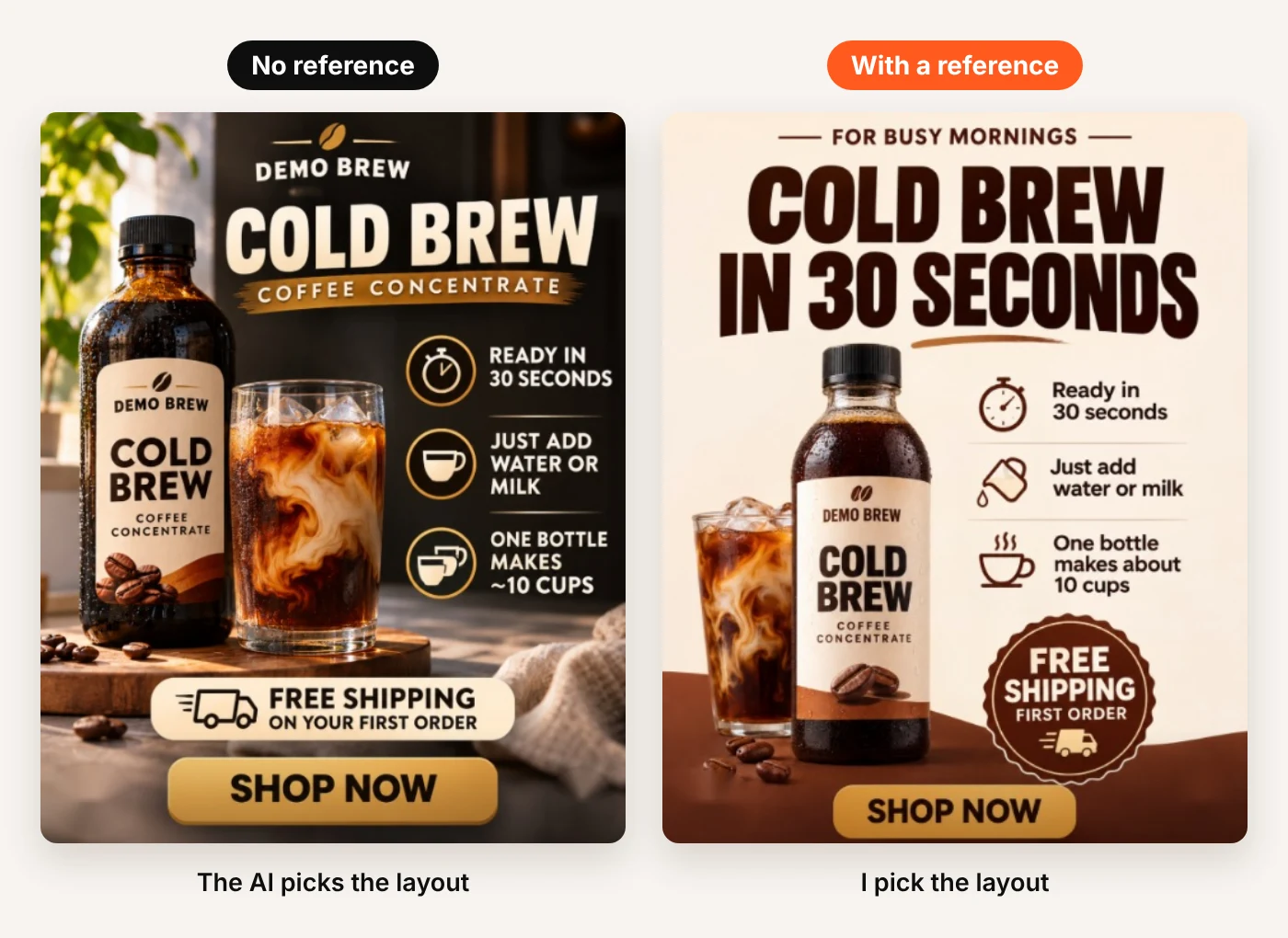
To be fair, this is not a bad result. But it is dark and busy, it looks like a template, and the AI chose the layout. With a reference, you choose it.
What prompt do I give ChatGPT with the reference?
I tell ChatGPT to borrow only the layout, then I give it every line of text. For the demo, the reference was an ecommerce shampoo ad with a big headline, a product, three benefits and a round badge.
You can copy this order and change the words in brackets:
- Use the attached ad only as a layout reference: same structure, spacing, headline size and product placement.
- Do not copy its brand, product or claims.
- Make a new 4:5 static ad for [brand] and [product].
- Top line: [line]. Headline: [headline].
- Benefits: [one], [two], [three].
- Badge: [offer]. Button: [button text].
- Use [colors]. Do not add any other claims.
The layout followed the reference and the text came out correctly. But the first benefit repeated the headline. That mistake came from the brief, not only from the AI, so read your brief twice.
How do I fix the AI result?
I ask for small, exact changes and say what must stay the same. "Make it better" gives the AI nothing to work with.
The first fix prompt changed the repeated benefit to "No brewing gear needed" and asked for more space under the button.
It was better, but still not finished. I did not like three things:
- The curved underline under the headline.
- The lines and fonts at the top, which needed to be straight and simple.
- The truck icon, which crowded the free shipping badge.
So the next prompt named each problem, one by one:
- Use a clean, straight, bold sans-serif font for the top line and headline. No tilt, no arch, no texture.
- Remove the curved underline. No underline anywhere.
- Make the two lines beside the top line thin, level and equal.
- Make the badge text only. Remove the truck icon and give it room.
- Keep the three benefits exactly as written.
- Leave clear space below the button. Add no other text, icons or claims.
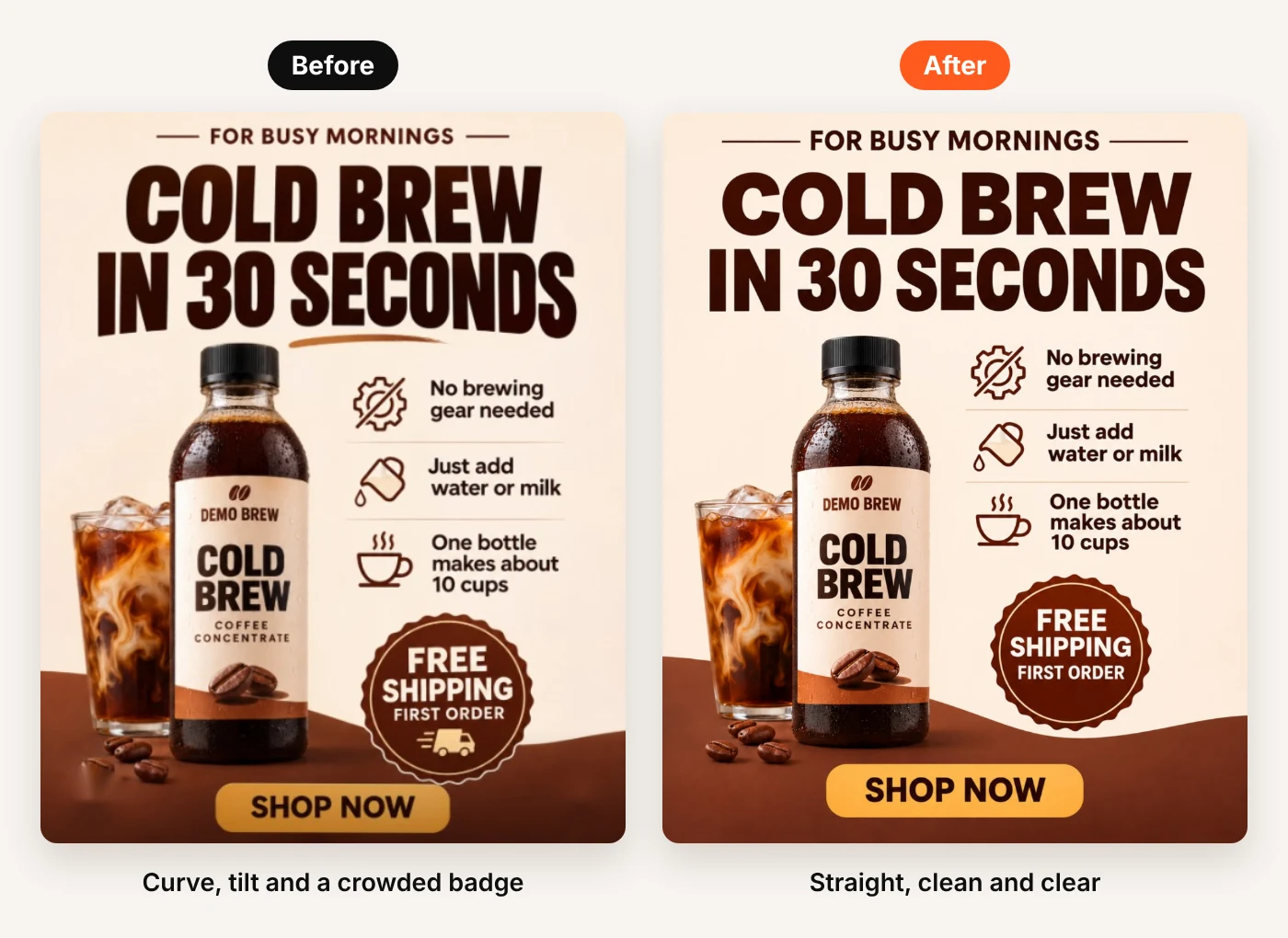
The version on the right is the one to keep.
What to steal: number your fixes, name the exact element and end with what the AI must not add.
What do I check by hand?
I check the brand logo and the product, because AI is sometimes not good with products. A bottle, label or logo that looks almost right is still wrong.
Use this checklist before any AI ad goes live:
- Is the logo exactly the brand's logo?
- Does the product match the real one, including the label?
- Is every word spelled correctly, with no extra words?
- Are all claims, prices and offers true?
- Are the lines, spacing and alignment clean?
- Can you read it on a phone?
- Can a stranger tell what you sell in one second?
How do I edit an AI ad in Canva?
When I need to edit something, I sometimes use Canva's Magic Layers. It turns a flat image into layers you can edit, so you can move or delete parts instead of generating again.
- Upload the PNG or JPG to a Canva design.
- Select the image and click Edit.
- Click Magic Layers and wait.
- Select a layer to edit, move or delete it.
Canva says photo-realistic images may not separate cleanly, and the feature uses monthly AI credits. Check the result closely. You can try Magic Layers here.
Does AI really save design time?
Yes, for me it saves about 1 to 2 hours per design. It still takes multiple tries to reach a final I can use, so it is not a one click job.
AI helps with drafts and versions. A person still owns the idea, the claims and the final eye. If you are comparing options, read static ad makers vs a designer, my list of the best AI tools for ad creatives and my AdCreative.ai review.
Faster production also means you can test more. See how many ad creatives to test per week, and use Facebook ad templates if you need more layouts.
Should you make AI ads yourself or hire a designer?
Make them yourself if you have time to learn and can judge the result. Hire a designer if you need ads that are on brand, planned around testing and ready without your own rounds of fixing.
| If you are | Try this |
|---|---|
| A new brand testing an idea | Do it yourself with the workflow above |
| A brand running paid ads every week | Get a designer who plans angles and tests |
| A designer | Use AI for drafts, keep your judgment |
You can see my work by niche, such as ecommerce static ads, or check my services.
Do you need to label AI ads on Meta?
Meta handles the label in many cases. Its June 2026 update says it will begin detecting ads made or edited with third-party AI tools through industry signals, and show an "AI info" label under "About this ad". Rules can differ by region and can change, so read Meta's current policy before you launch.
FAQ
Can I create static ads with AI for free?
Many AI tools have free plans with limits. Plans change often, so check the tool's pricing page. The learning methods above, such as studying the Meta Ad Library and saving a swipe file, cost nothing.
Which AI tool is best for static ads?
I mostly use ChatGPT, and it works well for me for now. The brief and reference matter more than the tool name.
Why does my AI ad look sloppy?
A common reason is that there is no reference. Add a reference ad, give the exact text and ask for specific fixes one round at a time.
Can I use a competitor ad as a reference?
Use it to learn the layout, not to copy it. Do not take another brand's logo, product, words or claims.
How many tries does one AI ad take?
Expect several. The demo in this post needed a first version and two rounds of fixes.
Want static ads without the trial and error?
Now you know how to create static ads with AI. If you would rather have them made for you, look at my static ad work, read about my services and book a short call. Tell me your product and offer, and we will talk about what to test first.