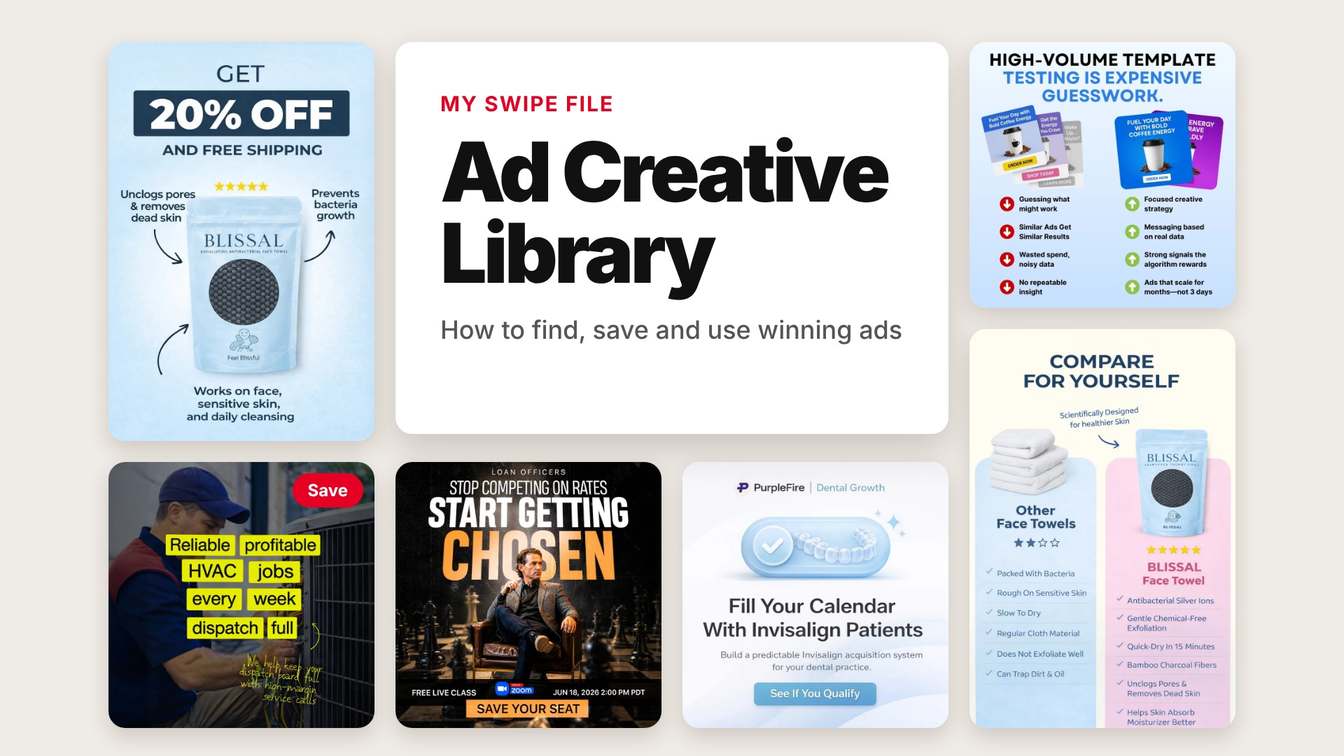
Quick answer: An ad creative library is a searchable collection of ads you can study for ideas. It can mean a free public library run by an ad platform, like the Meta Ad Library, Google Ads Transparency Center, TikTok Creative Center or LinkedIn Ad Library, or your own saved collection of ads, often called a swipe file. The best setup uses both: public libraries to find ads, and your own library to save, tag and learn from them.
Key takeaways
- Meta, Google, TikTok and LinkedIn all have free ad libraries. Each one shows different things.
- The Meta Ad Library only shows ads that are running now, so save anything you like before it disappears.
- How long an ad has been running is a hint that it works, not proof.
- Your own library is where the value is: save ads by angle, not by brand, and write one line on why each one works.
- Never copy an ad. Copy the idea behind it, then make it fit your buyer and your brand.
I am Nouman Raza, a static ad designer. Before I design anything for a brand, I spend time in ad libraries. Looking at what is already running in a market is the fastest way to see which angles are crowded, which are missing, and what buyers in that niche are used to seeing. This post covers the free libraries worth using, how to read what you find, and how to build your own creative library that actually helps you make better ads.
What is an ad creative library?
An ad creative library is a place where you can browse and search ads, usually to research competitors or find ideas. People use the phrase in two ways:
| Public ad library | Your own creative library | |
|---|---|---|
| What it is | A free database run by an ad platform | A collection of ads you save and organize |
| Who adds the ads | The platform, automatically | You |
| Main use | Finding what competitors and your niche run | Remembering, tagging and reusing ideas |
| Weakness | Ads can disappear, little or no result data | Only as good as what you save |
| Examples | Meta Ad Library, Google Ads Transparency Center | A folder, a board, a sheet or a tool like Foreplay |
Some people also use "creative library" for the folder of their own past ads and results. That counts too, and it may be the most useful library of all, because it shows what worked for your buyers.
Which free ad libraries should you use?
There are four big free libraries. Each one answers a different question.
| Library | What you can see | How you search | Best for |
|---|---|---|---|
| Meta Ad Library | Active ads across Facebook, Instagram, Messenger and Audience Network, with start dates | Advertiser name or keyword, filtered by country | Seeing what a brand runs on Meta right now |
| Google Ads Transparency Center | Ads a verified advertiser has shown on Search, Display, YouTube and more | Advertiser name or website, filtered by date and location | Checking a competitor's Google ads |
| TikTok Creative Center | A curated set of high-performing TikTok ads | Filters like region, industry and objective | Finding video ideas that already work in a category |
| LinkedIn Ad Library | Ads that ran on LinkedIn | Advertiser, payer, keyword, country and date range | B2B and SaaS ad research |
Meta Ad Library
The Meta Ad Library is the one I use most for static ads. Anyone can search it, with or without an account. You type a brand name or keyword, pick a country, and you see every active ad that brand is running, with the date each one started.
Two things to know. First, Instagram's help center says the library shows active ads only. Paused or finished ads are not shown. Ads about social issues, elections or politics are the exception: Meta keeps those for seven years. Second, ads shown in the EU come with extra detail. Sources: Instagram Help Center and Meta Transparency Center.
Because ads vanish when they stop, save anything good the day you find it.
Google Ads Transparency Center
Google's library lets you search by advertiser name or website and filter by date and location. You can see the ads themselves and who paid for them. Google describes it as a searchable place for advertisers and the ads they served on its platforms. Source: Google Ads policy help.
The weakness is that you cannot search by topic. You need to know who your competitors are first. It also does not show keywords, bids or results.
TikTok Creative Center
TikTok's Top Ads section is different from the others. It is not a full list of every ad. It is a curated set of ads that TikTok says meet performance thresholds and that the advertiser has allowed to be shown. That makes it useful for ideas, even if you only run static ads, because you can see which hooks and angles get attention in your category. TikTok says a login is not required, but logging in shows more.
LinkedIn Ad Library
LinkedIn's library lets you search by company, payer, keyword, country and date range. LinkedIn says ads stay in the library for one year after their last impression, which is longer than Meta for normal ads. Source: LinkedIn Help. If you sell to businesses, this is the place to see how competitors talk to decision makers.
How do you read an ad library without fooling yourself?
Ad libraries show you what brands are running. They do not show you what is working. Here is how I read them.
Look at how long an ad has been running
On Meta, every ad shows its start date. If a brand keeps paying for the same ad for months, there is a good chance it is doing its job. But it is a hint, not proof. Some brands forget to turn ads off, and some keep a weak ad running for brand reasons.
Look for many versions of the same idea
When a brand runs the same angle in five colors, three headlines and two layouts, they are usually investing in it. One-off ads are often tests. Repeated ideas are often winners being scaled.
Read the whole funnel, not just the ad
Click through to the landing page. An ad that promises "20% off" and lands on a quiz is a different strategy from one that lands on a product page. The ad only makes sense next to where it sends people.
Note what is missing
The most useful thing I find in libraries is often a gap. If every competitor is shouting about price, a quality or proof angle might stand out. If every ad shows the product, an ad about the problem might get noticed.
Want a head start? Grab my free static ad swipe file: static ads that work, sorted by angle, with notes on why each one works. It is a ready-made creative library you can build on.
How do you build your own ad creative library?
Your own library is where research turns into better ads. Here is the simple system I recommend.
1. Pick one place to save ads
A folder of screenshots, a Notion board, a Google Sheet with links, or a paid tool. Tools like Foreplay add a save button inside the Meta, TikTok and LinkedIn ad libraries, so ads stay saved after they stop running. A free folder works fine too, as long as you use it every week.
2. Tag by angle, not by brand
Most people save ads by brand name. That makes the library hard to use. When you need an idea, you do not think "what did Brand X do?" You think "I need a comparison ad" or "I need a review ad." So tag each ad by angle and layout:
| Tag type | Examples |
|---|---|
| Angle | Problem, result, proof, offer, objection, comparison, story |
| Layout | Us vs them, review card, Notes app, big number, product with callouts |
| Niche | E-commerce, supplements, webinars, B2B, SaaS |
| Stage | Cold audience, retargeting, offer |
3. Write one line on why it works
A saved ad without a note is just a picture. Add one line: "Shows the price objection next to the value" or "Uses a real customer number as the headline." This line is what you will actually reuse.
4. Save your own ads with results
Add your own ads next to the ones you collect, with a note on how they did. Over time, this becomes the most valuable part of the library, because it shows what works for your buyers, not someone else's.
5. Review it before every batch
Before you plan new ads, spend 15 minutes in your library. Pick three angles you have not tested yet. This is the habit that turns a pile of screenshots into a steady stream of new ideas. For how many to test, see how many ad creatives to test per week.
What should you save? 4 examples from my own library
Here are four ads I designed, and the tag and note I would give each one if I saved them as references.
The native note
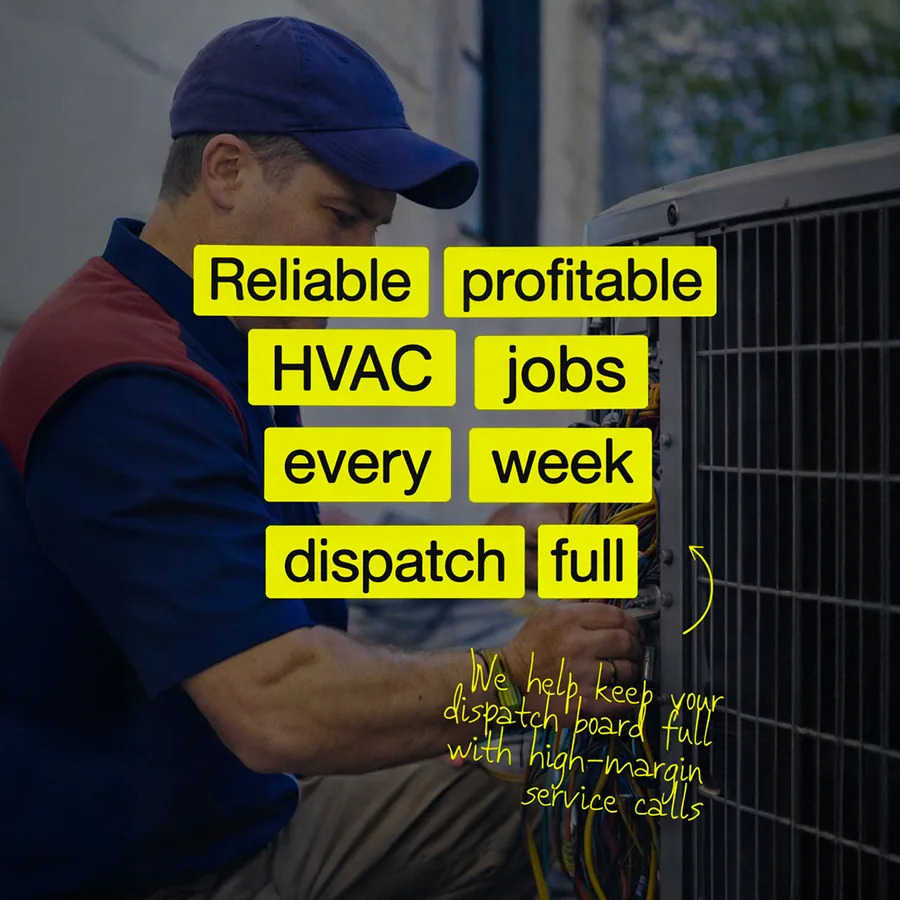
Tag: Native, B2B, cold audience. Note: Looks like a real photo with someone's marker notes on it, not a polished ad. The highlighted words read like a promise, and the handwritten line explains the offer.
The comparison
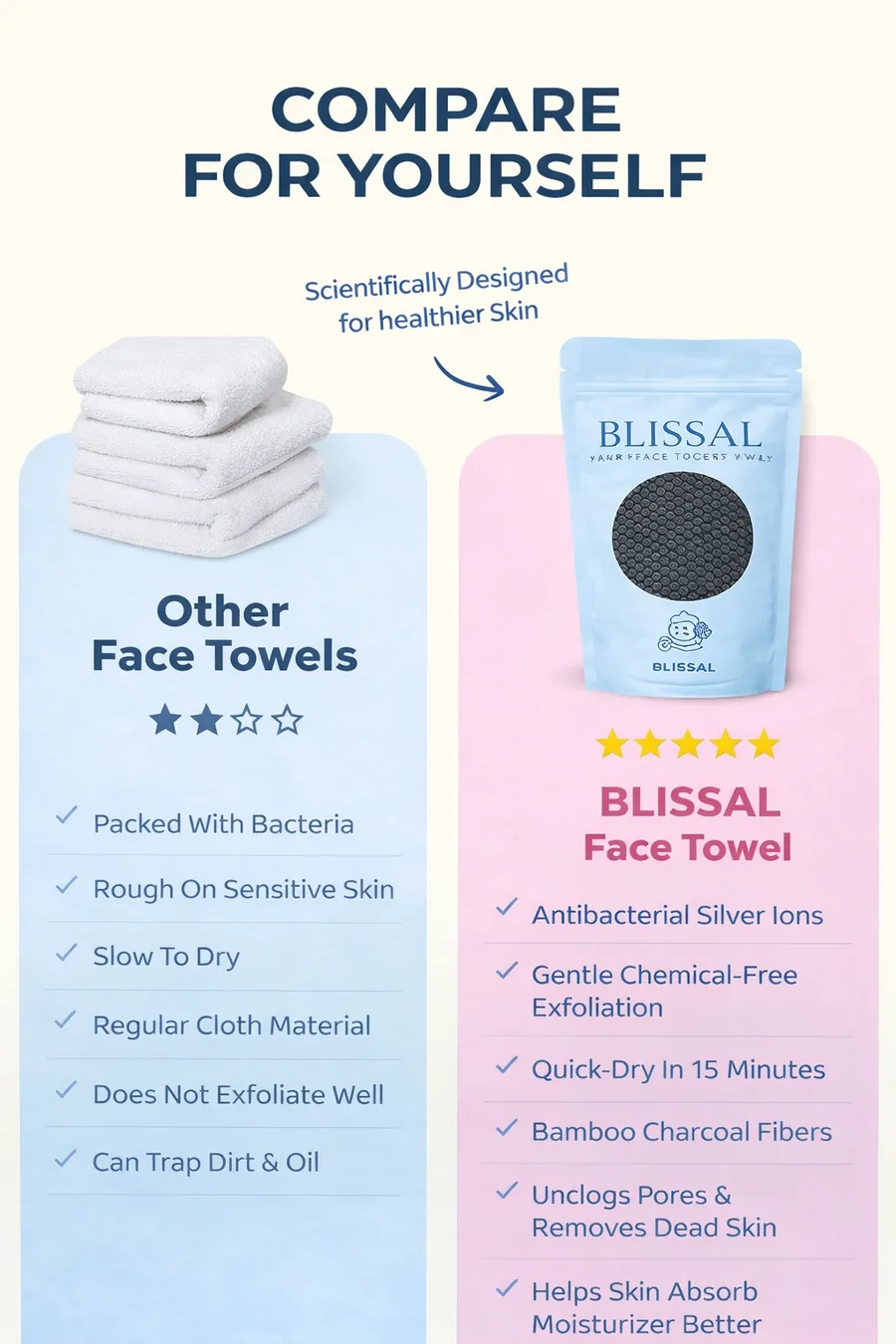
Tag: Comparison, e-commerce, cold audience. Note: The usual option sits on the left in plain colors with two stars. The product sits on the right in brand colors with five stars. The buyer does the comparison in one glance.
The event urgency

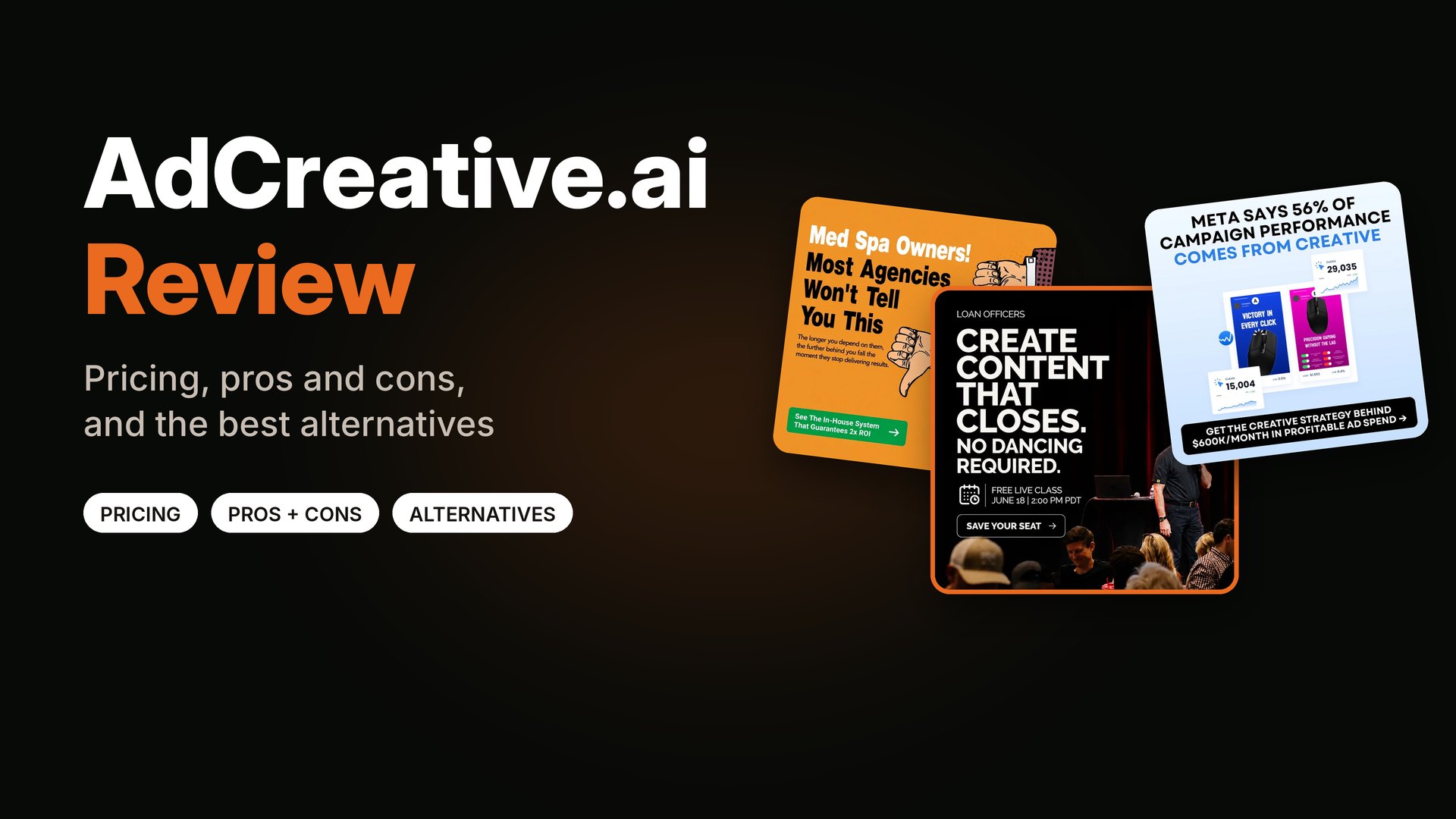
Tag: Webinar, identity callout, offer. Note: "Loan officers" at the top calls out the audience. The headline flips a common pain (competing on price) into a goal. The date, time and Zoom logo answer "when and where" before anyone clicks.
The strategy contrast
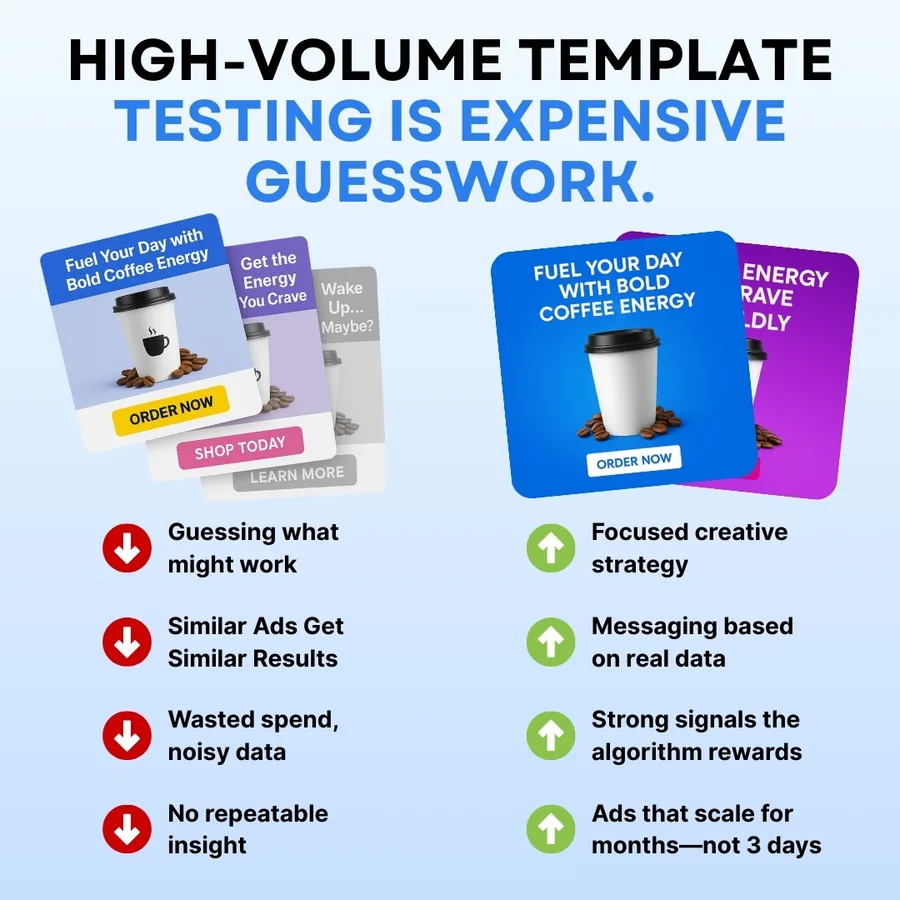
Tag: Problem vs solution, SaaS, cold audience. Note: Two columns of short points, red for the old way and green for the new way. The bold headline names a mistake the reader probably makes.
For more ads you can study the same way, see 12 static ad examples by industry, 12 Instagram ad examples and 10 product ad examples.
How do you turn library research into new ads?
Research is only useful if it changes what you make. This is the process I follow:
- Collect 20 to 30 ads from your niche and two nearby niches.
- Group them by angle. You will usually find that most competitors use the same two or three angles.
- Pick one crowded angle and one empty angle. The crowded one proves buyers respond. The empty one is your chance to stand out.
- Write your own headline for each. Use your buyer's words from reviews and comments, not the competitor's wording.
- Choose a layout from your library that fits the angle, then design it in your brand. My 10 Facebook ad templates cover the most common ones.
- Test, then save the results back into your library.
If you need more starting points, my list of 30 ad ideas groups ideas by angle, and Facebook ad copy examples shows the headline formulas behind them.
Is it OK to copy ads from an ad library?
Copying an ad's exact design, copy or images is not OK. It can break copyright and trademark rules, and it rarely works anyway, because the ad was made for someone else's buyer and brand. Taking the idea behind an ad is how the whole industry works. A comparison layout, a review card or a "Notes app" story is a format, not someone's property.
A good rule: if a buyer could mistake your ad for the competitor's, you went too far. This is not legal advice, so ask a lawyer if you are unsure about a specific case.
Common ad library mistakes
- Saving without notes. You will not remember why you saved it.
- Only looking at direct competitors. Nearby niches often have the fresh ideas.
- Treating running time as proof. It is a clue, not a result.
- Copying the look and missing the angle. The layout matters less than the reason to buy.
- Researching forever. Set a time limit, then make ads.
- Using the same ideas for months. Results fade over time. See how to fix creative fatigue.
If you are not sure what makes an ad work in the first place, start with what is ad creative. And if your ads run on Google too, here are all the Google ad sizes you will need.
Keep reading: once you have saved some ads, learn what makes winning ads work and how to turn one winner into ten.
FAQ
What is an ad creative library?
An ad creative library is a searchable collection of ads used for research and ideas. It can be a free public library run by a platform, like the Meta Ad Library, or your own saved collection of ads with tags and notes, often called a swipe file.
Is the Meta Ad Library free?
Yes. Anyone can search the Meta Ad Library for free, with or without a Facebook account. It shows active ads across Facebook, Instagram, Messenger and the Audience Network.
Can I see a competitor's old ads in the Meta Ad Library?
Usually not. For normal ads, the Meta Ad Library only shows ads that are running now. Ads about social issues, elections or politics are kept for seven years. If you want to keep an ad, save it while it is still active.
What is the best ad library for TikTok?
TikTok Creative Center's Top Ads section is the main free option. It shows a curated set of high-performing ads that you can filter by region, industry and objective, which makes it good for finding hooks and angles.
How do you know if an ad in a library is working?
You cannot know for sure, because most libraries do not show results. Good signs are an ad that has run for a long time and many versions of the same idea from one brand. Treat both as hints, then test the idea yourself.
What is the difference between an ad library and a swipe file?
A public ad library is run by a platform and shows ads automatically. A swipe file is your own collection of ads you chose to save, ideally tagged by angle with a note on why each one works. Most marketers use a library to find ads and a swipe file to keep them.
Want ads built from real research?
I design strategy-first static ads for DTC, e-commerce, info-product and coaching brands. Every batch starts with research in ad libraries and reviews, then angles, hooks and design. You can see what is included on my services page. If it looks like a fit, book a short call and we can start with a small test batch.