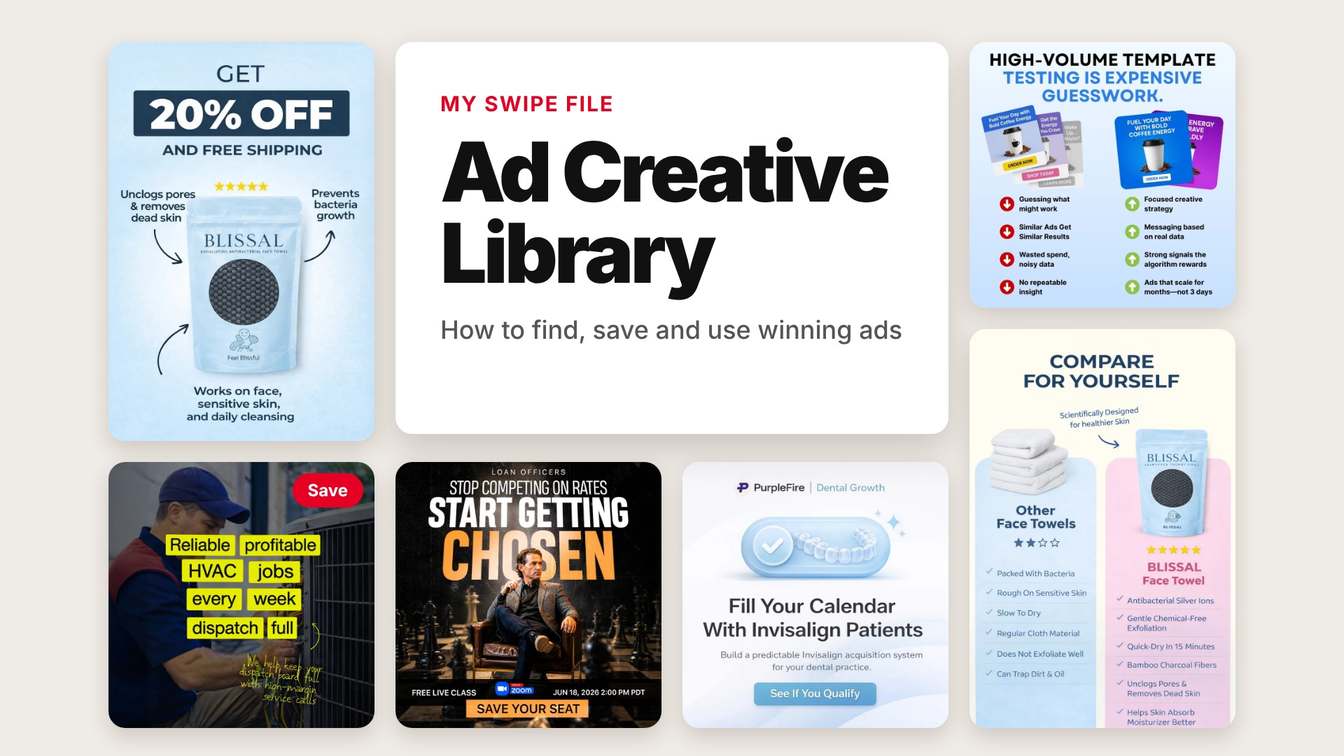
TL;DR: No single AI tool makes great Facebook and Instagram ads on its own. The brands that get good results use a small stack: one tool to research, one to write angles and copy, one to make or edit images, and Meta's own free AI features for variations. This guide gives you that stack, grouped by job, with what each tool is good and bad at, the prompts I use, and the parts of the process you should never hand to a tool.
I design static ads for a living, so you might expect me to say "AI is bad, hire a designer." I will not say that. AI tools are genuinely useful. They save hours on research, first drafts, resizing and background cleanup.
But I also see the other side: e-commerce brands that bought an AI ad generator, made 200 ads in an afternoon, and then wondered why none of them sold. The tool was not the problem. The missing piece was a clear angle for a clear buyer, and no tool picks that for you.
So this is not a "top 10 tools" list copied from tool websites. It is the stack I would use if I ran an e-commerce store today, grouped by the job each tool does. I do not have affiliate deals with any of these tools. Prices change often, so check each site before you pay.
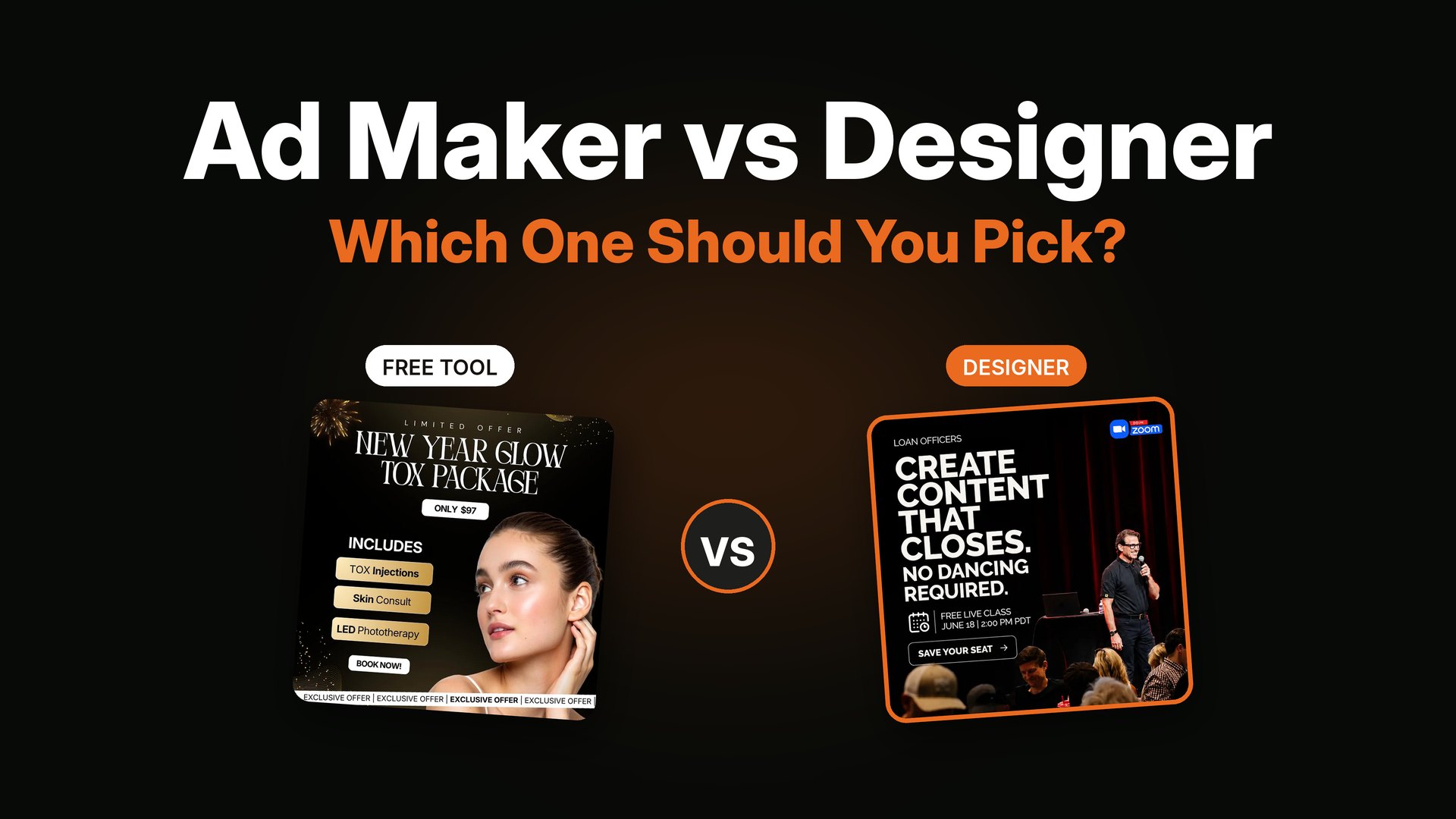
If you want the short version of tools vs a designer, read static ad makers vs a designer. For a deep look at one popular tool, see my AdCreative.ai review.
The quick list
| Job | Tool | Free option? | Best for |
|---|---|---|---|
| Research competitor ads | Meta Ad Library | Yes, fully free | Seeing what others run right now |
| Save and organize ads | Foreplay | Paid | Building a swipe file for your team |
| Angles, hooks and copy | ChatGPT or Claude | Free plans | Turning reviews into headlines |
| Make images from text | ChatGPT image generation, Midjourney, Ideogram | Some free use | Backgrounds, scenes, concept drafts |
| Edit photos | Photoshop Generative Fill | Paid | Extending, cleaning and fixing photos |
| Quick design and resizing | Canva (Magic Studio) | Free plan, Pro for AI | Fast layouts and resizing to every size |
| All-in-one ad generators | AdCreative.ai, Pencil | Trials | Many variations quickly |
| Video ads from a product link | Creatify | Trial | Simple video ads |
| Variations inside Meta | Meta Advantage+ creative | Free | Text variations, backgrounds, image expansion |
| Find what is working | Motion | Paid | Creative reporting for bigger accounts |
Now let me go job by job.
1. Research: see what is already working
Before you make anything, look at what competitors run. If a brand has run the same ad for months, it is probably making money.
Meta Ad Library (free)
What it does: Shows every active ad running on Facebook and Instagram. Search by brand or keyword, filter by country and platform.
Why it helps: It is free, it is the real source, and you can see how long an ad has been running. Long-running ads are your best clue.
Limits: No saving, no tagging, no performance numbers. You see what they run, not how well it works.
Foreplay (paid)
What it does: A browser extension and library that saves ads from the Meta Ad Library, TikTok and others into boards you can tag and share. It also has tools for writing briefs.
Why it helps: Once you save more than 50 ads, a folder of screenshots becomes a mess. Foreplay keeps your swipe file organized, and the team can find "every us-vs-them ad in skincare" in seconds.
Limits: It is a paid tool. For one person just starting out, the free Ad Library and a simple folder can be enough.
My tip: Do not just save ads you like. Save ads that have run for a long time, and write one line on why you think each one works. That line is worth more than the screenshot.
2. Angles, hooks and copy: ChatGPT or Claude
This is where AI saves the most time, as long as you feed it the right material.
What it does: Large language models like ChatGPT and Claude can turn raw material (reviews, product pages, support emails) into angles, headlines and primary text in seconds.
Why it helps: The best ad copy uses the buyer's own words. Reading 300 reviews takes hours. An AI can sort them into themes in a minute.
Limits: If you just type "write a Facebook ad for my product," you get generic copy that sounds like every other ad. Garbage in, garbage out.
Here are three prompts that work well. Paste your reviews or product details where it says.
Prompt 1: Find angles from reviews
Here are 50 customer reviews for my product: [paste reviews]. Group them into the 5 biggest reasons people bought it, and the 5 biggest problems they had before. For each, quote the exact words customers used. Do not rewrite their words.
Prompt 2: Write headlines for one angle
My buyer is [describe one buyer]. The angle is [one angle from prompt 1]. Write 15 headlines for a static Facebook ad, each under 10 words. Use the customer phrases above. Mix these styles: a question, a bold claim, a "you" statement, a number, and a before and after.
Prompt 3: Check a draft like a skeptical buyer
Here is my ad copy: [paste]. Read it as a busy, skeptical buyer scrolling Instagram. What is unclear? What claim would you not believe? What would make you scroll past? Be blunt.
The third prompt is underrated. It catches vague claims before Meta's review team or your buyers do.
For headline formulas you can feed into these prompts, see Facebook ad copy examples.
3. Making images: AI image generators
AI image tools are good now, but they are good at some parts of an ad and bad at others.
ChatGPT image generation
Good for: Quick concept drafts, backgrounds, lifestyle scenes and mood ideas. You can describe a scene in plain words and adjust it in a chat.
Watch out for: Product accuracy. AI can change your label, your logo or the shape of your bottle in small ways. Never use an AI-made product shot in an ad without checking every detail against the real product.
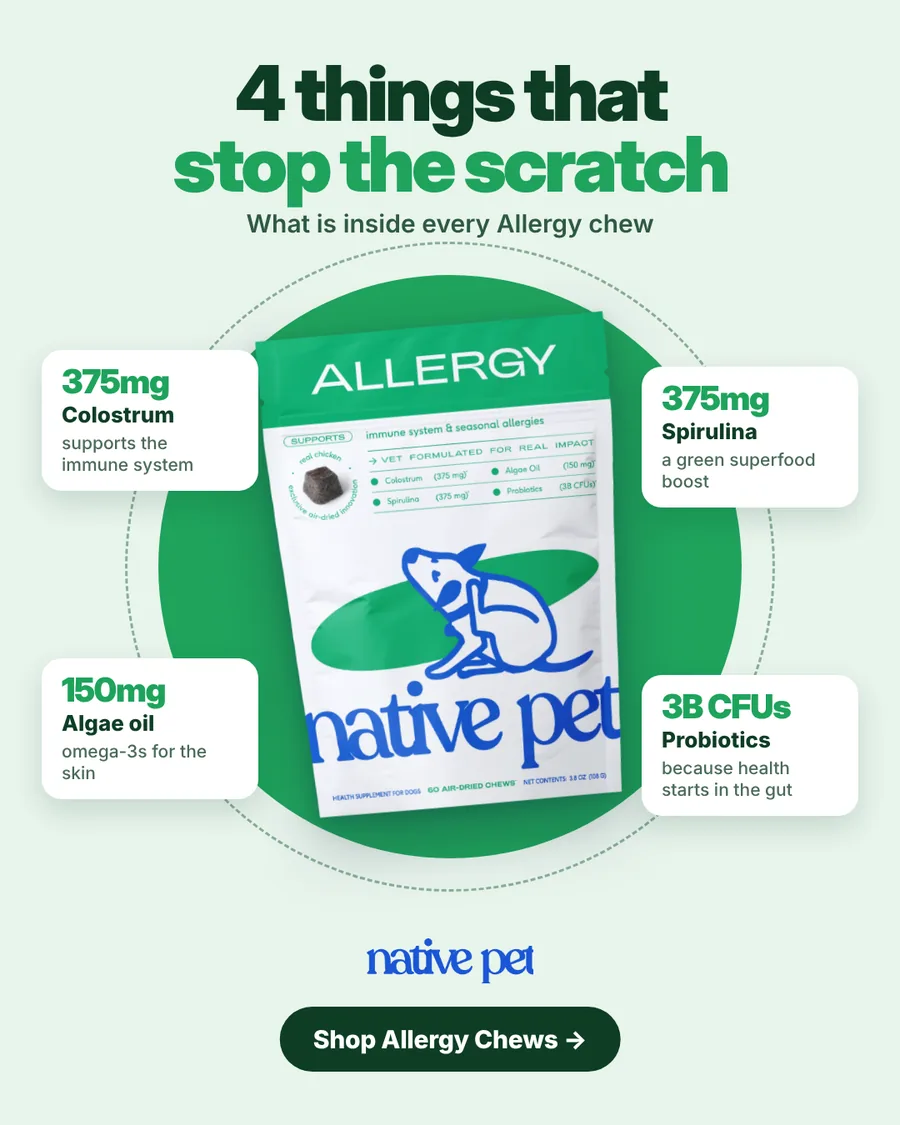
An ad like this one shows why. The pack sits in the middle, and four labels point to exact ingredients and amounts. If an AI tool quietly changed the label or a number, the ad would be wrong, and on a health-related product that is a real problem. The real pack photo and real numbers have to come from the brand.
Midjourney
Good for: Beautiful, stylized images and scenes when you want a strong look or mood.
Watch out for: It is less precise for exact layouts and exact product details, so it is best for backgrounds and concepts, not for the final product shot.
Ideogram
Good for: Images that include readable text, like a poster-style headline. It is known for handling text better than many image tools.
Watch out for: Fonts and spacing still need a designer's eye. Check every word for spelling.
A good rule for all image tools: Use AI for the scene around your product, and use a real photo of your real product. Then put them together in a design tool. That gives you the speed of AI and the honesty of a real product shot.
4. Editing and design: Photoshop and Canva
Photoshop Generative Fill (paid)
What it does: Select part of a photo and describe what you want. Extend a background, remove an object, fill a gap, fix a messy edge.
Why it helps: It is one of the biggest time-savers in ad design. Turning a square product photo into a tall 9:16 Story used to take careful manual work. Now it takes seconds to extend the background, and the saved time can go into the layout instead.
Limits: It is part of Adobe's paid plans, and it takes some skill to use well.
Canva with Magic Studio
What it does: Templates, drag-and-drop design, and AI features like background removal, magic resize to other sizes, and text-to-image.
Why it helps: For a small brand, it is the fastest way to go from idea to a decent ad. Resizing one design into feed and Story sizes is a big win.
Limits: Templates make ads that look like templates. Many brands in your niche use the same ones. Use templates for structure, then make the design your own.
For the design rules that make any tool's output better, read Facebook ad design: 9 rules.
5. All-in-one AI ad generators
These tools promise the whole thing: put in your brand and product, get finished ads.
AdCreative.ai
What it does: Generates many ad images and text variations from your brand details, and gives each one a predicted score.
Good for: Brands that need a lot of size and color variations fast.
Watch out for: The ads can look alike, and the scores are predictions, not results. I cover it in detail, including pricing and credits, in my AdCreative.ai review.
Pencil
What it does: Generates and tests ad variations, aimed at performance teams.
Good for: Teams that already know their angles and want to scale variations.
Creatify
What it does: Makes simple video ads from a product link, with AI avatars and voiceovers.
Good for: Brands that want to test video without a shoot. If you are weighing formats, see static vs video ads.
My honest take on all-in-one tools: They are good at volume and bad at ideas. If you already have a winning angle, they can help you make more versions of it. If you do not have an angle yet, they will happily make 100 versions of a weak one.
6. Meta's own AI (free, and already in Ads Manager)
Many people pay for tools while ignoring the free AI that is already in Meta Ads Manager.
What it does: Meta's generative AI features can write text variations, generate new backgrounds for product images, expand an image to fit other placements, and in some cases create image variations. These sit under Advantage+ creative.
Why it helps: It is free and built into where your ads run. Text variations in particular can find a better first line without extra work.
Watch out for: Some automatic changes can alter how your static ad looks, crop it badly or add things you did not design. Check the previews for every placement. I explain which settings to turn on and off in Meta Advantage+ creative for static ads.
7. Finding winners: creative analytics
Motion (paid)
What it does: Pulls your ad data into visual reports, so you can see which creatives, hooks and formats win, side by side with the actual ad images.
Good for: Accounts spending enough to run many creatives a month, where Ads Manager tables get hard to read.
Limits: For a small account with ten ads, Ads Manager is enough. Pay for analytics when you have enough ads to analyze.
To know how many creatives you should be testing in the first place, see how many ad creatives to test per week.
An AI workflow for one static ad
Here is the workflow I recommend for combining these tools on one ad, from start to finish:
- Research (Ad Library, 20 minutes). Find 10 long-running competitor ads. Note the angles they use and the ones nobody uses.
- Angles (ChatGPT or Claude, 15 minutes). Paste reviews, run prompt 1, pick 3 angles.
- Headlines (ChatGPT or Claude, 10 minutes). Run prompt 2 for each angle. Pick the best 2 per angle by hand.
- Brief (a person, 15 minutes). One page per ad: buyer, angle, headline, proof, offer, button, layout reference.
- Visuals (real product photo + AI background, 30 minutes). Real product shot, AI-generated or extended scene, cleaned in Photoshop.
- Design (Figma or Photoshop, 1 to 2 hours). Layout, type, hierarchy. This is where the ad is won or lost, and it is still a human job.
- Sizes (Generative Fill or Canva resize, 15 minutes). Build the 4:5 and 9:16 versions.
- Check (prompt 3 + human eyes). Read it as a skeptical buyer. Check every word, price and product detail.
- Launch and learn. Run 3 to 5 ads with different angles. Keep the winner, make variations.
AI shortens steps 1, 2, 3, 5 and 7 a lot. Steps 4, 6 and 8 still need a person who understands the buyer.
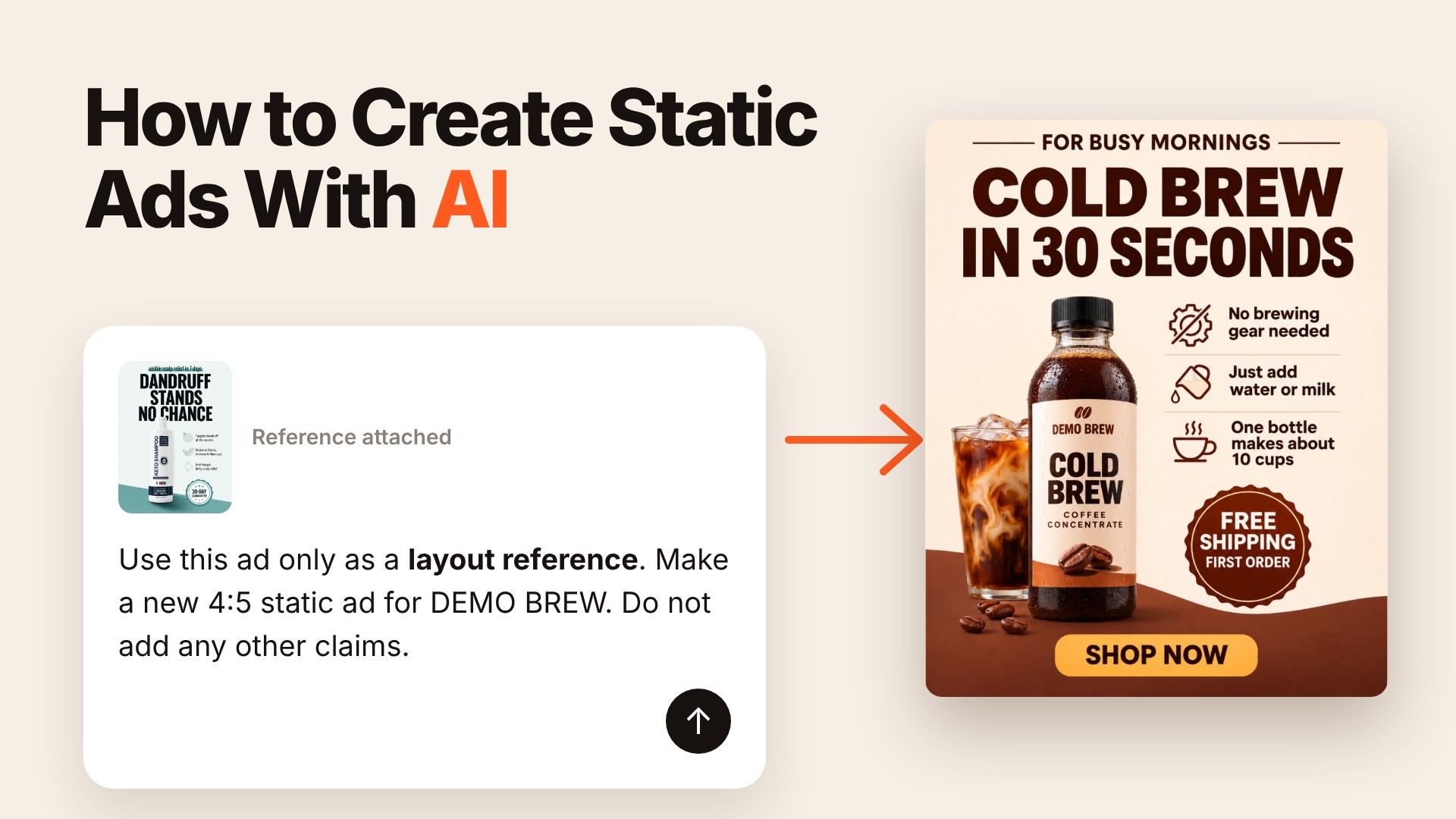
Keep reading: want to see this on one real example? Here is how to create static ads with AI, with my prompts and what I check by hand.
What AI still cannot do for you
- Pick the right buyer. AI will write for anyone. Choosing who the ad is for is a strategy decision.
- Know your real proof. It will invent "clinically proven" or "10,000 happy customers" if you let it. Only you know what is true.
- Judge taste and fit. An ad can be technically fine and still feel wrong for your brand.
- Notice when the problem is not the ad. If ads get clicks but no sales, the issue might be the offer or the page. See high CTR but no sales.
- Take responsibility. Meta can reject ads with misleading claims or wrong product images. A tool will not get the blame. You will.
Free vs paid: what you actually need
If you are a small e-commerce brand on a tight budget, you can start with almost nothing:
| Budget | Stack |
|---|---|
| $0 | Meta Ad Library + free ChatGPT or Claude + Canva free + Meta's built-in AI |
| Small monthly budget | Add Canva Pro (AI resize, background remover) and a paid AI chat plan |
| Growing brand | Add Foreplay for research, Photoshop for editing, and a designer for new angles |
| Scaling brand | Add creative analytics like Motion and a steady flow of new creative each week |
The order matters. Do not buy an all-in-one generator before you have a clear angle and a way to measure results.
FAQ
What is the best AI tool for Facebook and Instagram ad creatives?
There is no single best tool, because making an ad has several jobs. For most e-commerce brands, the best starting stack is Meta Ad Library for research, ChatGPT or Claude for angles and copy, Canva or Photoshop for design and resizing, and Meta's free Advantage+ creative features for variations.
Can AI make Facebook ads for free?
Yes, partly. Meta's built-in AI features, free plans of ChatGPT or Claude, and Canva's free plan can get you a usable ad at no cost. The output still needs a clear angle, a real product photo and a careful check before you run it.
Are AI-generated ads allowed on Facebook and Instagram?
Yes. Meta itself offers generative AI tools for advertisers. Your ads still have to follow Meta's advertising policies, so avoid misleading claims and make sure product images show the real product.
Do AI ad generators actually work?
They work well for making many variations quickly, such as new sizes, colors and copy versions. They are much weaker at finding a new angle. Most results come from the idea behind the ad, so use generators to scale an idea that is already working.
Will AI replace ad designers?
AI is replacing a lot of repetitive design work, like resizing and simple variations. It is not replacing the person who decides what the ad should say, who it is for and why it should work. Designers who use AI well are faster, not obsolete.
Should I use AI or hire a designer for my ads?
Many brands do both: a designer or strategist creates new angles each month, and AI tools make fast variations of the winners. I explain costs and what to look for in how to hire a static ad designer.
Want the angles AI cannot come up with?
I design static ads for DTC, e-commerce, info-product and coaching brands, and I use AI where it saves time and a human brain where it matters. You get angles and not only layouts. You can see what is included on my services page. If it looks like a fit, book a short call and we can start with a small test batch.