TL;DR: A high click-through rate with no sales almost always means the ad and the page are telling two different stories. Either the ad attracts people who were never going to buy, or it promises something the page does not deliver fast enough. Before you change the ad or the audience, check the message match, the offer, the page speed and the checkout. Often the fix is to make the ad a little less "clicky" and a lot more honest.
"My CTR is great but nobody buys." I see this from store owners all the time, and it is a painful place to be. The ad is clearly doing something right. People are clicking. But the money is going out and nothing is coming back.
The usual advice is a long list of landing page tips and apps. Some of it helps. But as the person who makes the ads, I can tell you that a lot of the time the problem starts with the ad itself. Not because it is bad, but because it is getting the wrong click.
First, is your CTR actually high?
Before anything else, check your numbers against a real benchmark. Runneth's guide to creative metrics puts the average Meta CTR at around 0.9 to 1.5% across industries, and says ecommerce brands should aim for 1.5 to 2.5%.
So if you are at 1.5% to 3%, your ad is doing its job of getting attention. If you are at 5% or more and still not selling, that is a big red flag that the click is cheap but the intent is not there.
Why a "good" ad can get the wrong clicks
An ad has two jobs. Stop the right people, and push away the wrong ones. Most ads only do the first part.
Here are the most common reasons I see:
- The hook is curious but vague. "You will not believe this" gets clicks from everybody. Including people who have no interest in buying anything.
- The ad hides the price. People click to see how much it is, see the price, and leave. The click looked good, but it was really a "how much?" click.
- The ad promises one thing, the page shows another. The ad talks about a result. The page opens with a long brand story. The buyer has to work to find what they came for, and most will not.
- The offer in the ad is not the offer on the page. The ad says "Buy 2, get 1 free." The page shows a normal price and no mention of the deal. That breaks trust in one second.
- Clickbait style for a premium product. If you sell something expensive, a loud, cheap-looking ad pulls in bargain hunters.
The best ad is not the one with the most clicks. It is the one that gets the click from people who are already half ready to buy.
A real-looking example
Here is a pattern I see a lot. A store selling a $60 posture corrector runs an ad with the hook "This weird trick fixed my back pain." The ad gets a 4% CTR, which looks amazing.
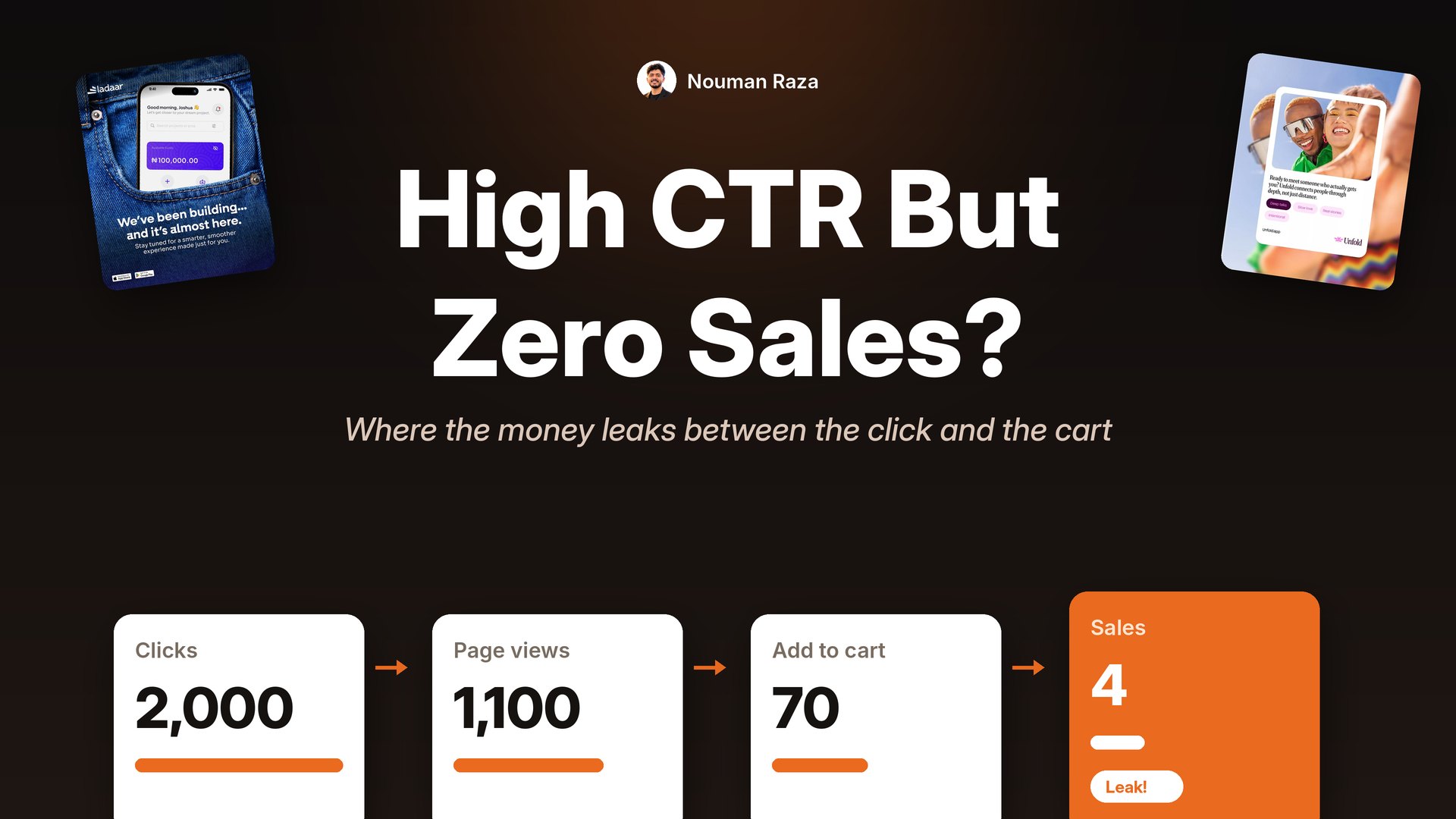
But the numbers after the click tell a different story:
- 2,000 link clicks
- 1,100 landing page views
- 70 add to carts
- 4 purchases
So what happened? The hook was curious and a bit vague, so lots of people clicked just to see the "trick." Almost half left before the page even loaded. The ones who did land saw a normal product page with a price, not a trick. Most of them felt a bit fooled and left.
The fix was not a new audience. It was a more honest ad. A version like "The $60 posture fix 12,000 people wear at their desk" will probably get a lower CTR. But the people who click already know it is a product, already know the price, and already see themselves using it at a desk. That is a much better click.
Fix 1: Make the ad and the page say the same thing
This is called message match, and it is the biggest fix in most accounts. Open your ad and your landing page side by side on your phone. Ask yourself:
- Does the first thing on the page repeat the main promise in the ad?
- Is the same product, in the same color, shown right away?
- If the ad has an offer, is it the first thing you see on the page?
- Does the page look like it comes from the same brand as the ad?
If the answer to any of these is no, fix that first. It costs nothing and it often moves conversion more than any ad change.
Fix 2: Qualify the click inside the ad
This sounds strange, but sometimes the best fix is to make the ad less clickable. Show the price. Say who it is for. Say who it is not for.
Here is an example from my own work for an info-product. The ad is built around the question people ask about the price, and answers it right on the ad.
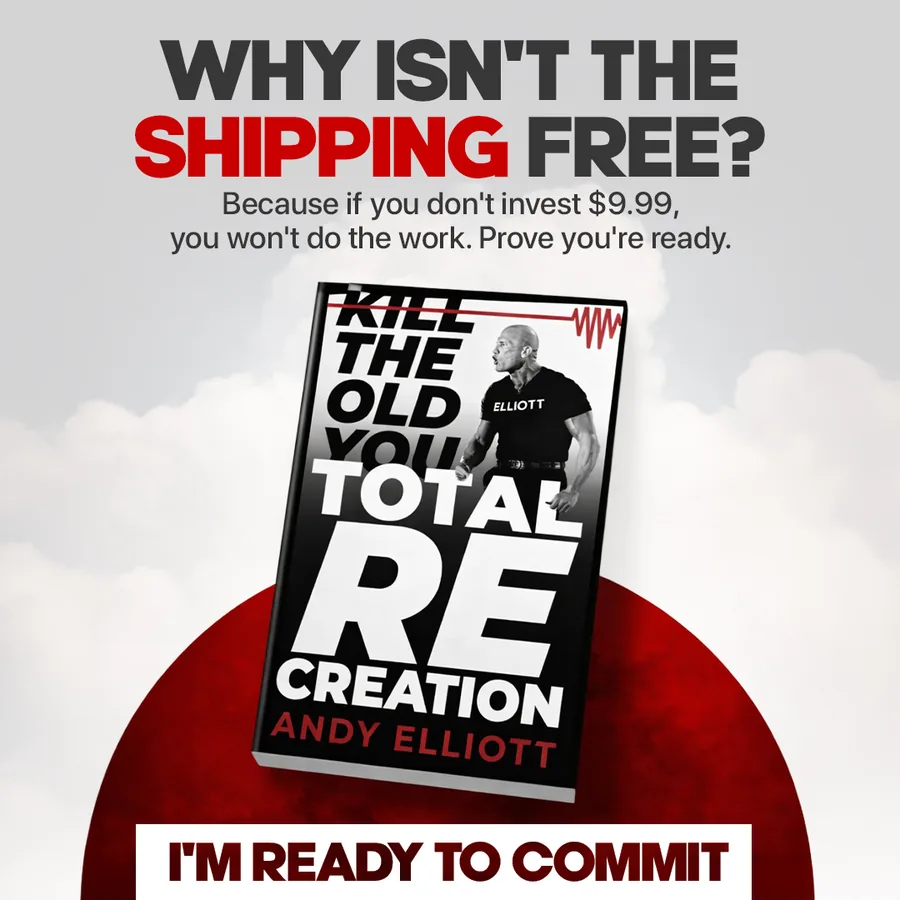
This ad answers the price question before the click, so the people who click already accept the cost.
And here is a local service ad that puts the price and the normal price right in the ad. People who are not ready to pay will not click. The people who click already know the deal.
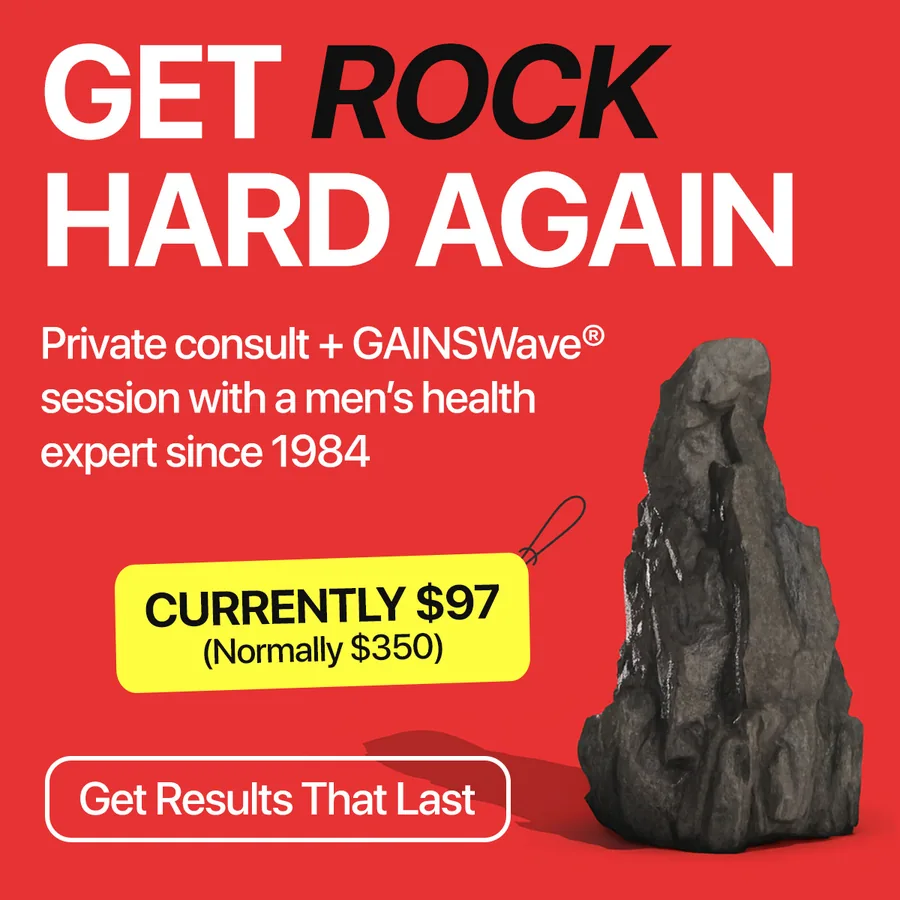
Price on the ad means fewer clicks, but much better ones.
Your CTR might go down a little with changes like this. That is fine. What you care about is cost per sale, not cost per click. If you are not sure how many new versions to test, use this weekly testing plan by budget.
What the first screen of your page should show
Most people decide in a few seconds if they will stay on a page. So the first screen on a phone, before any scrolling, has to do a lot of work. Check that it shows:
- The same promise as the ad. If the ad says "Clear skin in 7 days," the page should say that too, not a brand slogan.
- The product, clearly. Same color and packaging as in the ad.
- The price, or the offer. Do not make people hunt for it.
- Proof. Star rating, number of reviews, or one strong review line.
- One clear button. "Add to cart" or "Shop now," easy to tap with a thumb.
If you have to scroll to find any of these, move them up. This one change often helps more than a week of new ads.
Rewrite vague hooks into qualifying hooks
Here are a few examples of how a small change in the hook can bring better clicks. The left side gets curious clicks. The right side gets buyer clicks.
| Vague hook | Qualifying hook |
|---|---|
| You need to see this | Finally, a protein bar with 20g protein and no bloating |
| This changed everything | The $39 desk lamp that stopped my evening headaches |
| Stop doing this | Still using a $5 towel on your face? Here is what it does to your skin |
| Big news | 30% off our bestselling bedding set, this weekend only |
| The secret nobody tells you | Busy moms: dinner on the table in 15 minutes, 4 nights a week |
Notice what the right side has: the product type, a price or a number, a clear benefit, and often the exact person it is for. Each of those filters out people who were never going to buy.
Match the ad format to the page
One more small thing that makes a big difference. If your ad looks like a casual phone photo, but the page looks like a luxury catalog, people feel a jump. If your ad is a clean product shot with a price, but the page opens with a long video, people feel a jump. Try to make the first screen of your page feel like the next frame of the ad. Same product angle, same colors, same tone of voice. This matters even more for lead and webinar ads, which I covered in webinar ads for coaches.
Fix 3: Check the boring stuff
Before you spend another dollar, do this quick check on your phone, not your laptop:
- Page speed. If the page takes more than a few seconds to load on mobile data, many clicks leave before they even see it. Some of your "clicks" are not even visits.
- Checkout. Add to cart, go to checkout, and try to pay. Make sure every step works, shipping is clear, and there are no surprise costs.
- Trust. Reviews, return policy and contact details should be easy to find. A new store with no reviews has a harder job.
- Tracking. Make sure your pixel is actually firing on purchase. Sometimes the sales are happening and Meta just cannot see them.
Fix 4: Look at who is clicking
Open the breakdown by age, gender and placement. Sometimes one placement or one age group brings lots of cheap clicks and zero sales. Audience Network and some in-app placements are known for this. If you see a group that clicks a lot and never buys, that tells you who your ad is accidentally speaking to.
You can also check landing page views against link clicks. If you have 1,000 link clicks and only 400 landing page views, more than half of your "clicks" never reached the page. That is a speed or placement problem, not an ad problem.
Fix 5: Test the offer, not just the ad
Sometimes everything is fine and people simply do not want the offer at that price. If the ad gets clicks, the page matches, the checkout works and you still get no sales after a fair amount of spend, try a different offer before you try a different ad. A bundle, a guarantee, free shipping, or a smaller starter product can change everything.
Do the math: what cost per sale can you afford?
Sometimes "no sales" is really "not enough sales at a price that works." So know your number. Your breakeven cost per sale is roughly:
Price minus product cost minus shipping minus payment fees.
For example, if you sell at $60, the product costs $15, shipping is $8 and fees are about $2, you have $35 left. That means you can pay up to about $35 in ads per sale and break even on the first order. If customers buy again, you can afford a bit more.
Now compare that to your cost per click and conversion rate. If you pay $1.20 per click and 1.5% of visitors buy, each sale costs you about $80. That is way above $35. In that case, you either need a cheaper click (better ad), a higher conversion rate (better page or offer), or a higher order value (bundles and upsells). Knowing this tells you which lever to pull.
A quick way to tell where the problem is
- High CTR, few landing page views: page speed or placement problem.
- Good landing page views, few add to carts: page or message match problem.
- Lots of add to carts, few purchases: checkout, shipping cost or trust problem.
- Everything looks fine, no sales: offer or price problem.
- Good numbers for a week or two, then a slow drop: that is usually creative fatigue, not a page problem.
FAQ
What is a good CTR for Facebook ads?
Around 0.9 to 1.5% is average across industries, and 1.5% or higher is strong for most ecommerce brands. But CTR on its own does not mean much. Always look at it next to cost per sale.
Can a CTR be too high?
Yes, in a way. A very high CTR with no sales often means the ad is too curious or too vague, and it is pulling in people who just want to see what it is about.
Should I change my audience if I have high CTR and no sales?
Check the ad, the page and the checkout first. On Meta today, the creative does most of the targeting. If your ad speaks clearly to one buyer, Meta will find more of them.
How long should I wait before deciding the ad does not convert?
Let the ad spend at least two to three times your target cost per sale. Before that, a few days with no sales can just be bad luck.
Is it the ad or the landing page?
Use the quick check above. If people click but do not reach or read the page, look at the ad and placements. If they read the page but do not buy, look at the page and the offer.
Is Advantage+ to blame for clicks with no sales?
Not usually on its own. Broad targeting and Advantage+ work best when the ad itself makes clear who it is for. If the ad is vague, the system will find people who click vague ads. A clear, specific ad helps the system find buyers.
Should I optimize for clicks or for purchases?
For an online store, optimize for purchases (or at least add to cart if you have very few sales). If you optimize for clicks, Meta will find people who love to click, and they are often not buyers.
Want ads that bring buyers, not just clicks?
When I make static ads, I build them around the page they lead to, so the promise, the product and the offer all match. If your ads get clicks but not sales, book a call and I will look at your ad and page side by side with you.